8.2.0.1 to 8.2.1
1. Upgrade From 8.2.0.1 to 8.2.1
RDAF Platform: From 8.2, 8.2.0.1 to 8.2.1
AIOps (OIA) Application: From 8.2, 8.2.0.1 to 8.2.1
RDAF Deployment rdafk8s CLI: From 1.5.0.1 to 1.5.1
RDAF Client rdac CLI: From 8.2.0.1 to 8.2.1
RDAF Platform: From 8.2, 8.2.0.1 to 8.2.1
OIA (AIOps) Application: From 8.2, 8.2.0.1 to 8.2.1
RDAF Deployment rdaf CLI: From 1.5.0.1 to 1.5.1
RDAF Client rdac CLI: From 8.2.0.1 to 8.2.1
1.1. Prerequisites
Before proceeding with this upgrade, please make sure and verify the below prerequisites are met.
Currently deployed CLI and RDAF services are running the below versions.
-
RDAF Deployment CLI version: 1.5.0.1
-
Infra Services tag: 1.0.4
-
Platform Services and RDA Worker tag: 8.2, 8.2.0.1
-
OIA Application Services tag: 8.2, 8.2.0.1
-
CloudFabrix recommends taking VMware VM snapshots where RDA Fabric infra/platform/applications are deployed
Note
- Check the Disk space of all the Platform and Service Vm's using the below mentioned command, the highlighted disk size should be less than 80%
rdauser@oia-125-216:~/collab-3.7-upgrade$ df -kh
Filesystem                         Size  Used Avail Use% Mounted on
udev                                32G     0   32G   0% /dev
tmpfs                              6.3G  357M  6.0G   6% /run
/dev/mapper/ubuntu--vg-ubuntu--lv   48G   12G   34G  26% /
tmpfs                               32G     0   32G   0% /dev/shm
tmpfs                              5.0M     0  5.0M   0% /run/lock
tmpfs                               32G     0   32G   0% /sys/fs/cgroup
/dev/loop0                          64M   64M     0 100% /snap/core20/2318
/dev/loop2                          92M   92M     0 100% /snap/lxd/24061
/dev/sda2                          1.5G  309M  1.1G  23% /boot
/dev/sdf                            50G  3.8G   47G   8% /var/mysql
/dev/loop3                          39M   39M     0 100% /snap/snapd/21759
/dev/sdg                            50G  541M   50G   2% /192.168-data
/dev/loop4                          92M   92M     0 100% /snap/lxd/29619
/dev/loop5                          39M   39M     0 100% /snap/snapd/21465
/dev/sde                            15G  140M   15G   1% /zookeeper
/dev/sdd                            30G  884M   30G   3% /kafka-logs
/dev/sdc                            50G  3.3G   47G   7% /opt
/dev/sdb                            50G   29G   22G  57% /var/lib/docker
/dev/sdi                            25G  294M   25G   2% /graphdb
/dev/sdh                            50G   34G   17G  68% /opensearch
/dev/loop6                          64M   64M     0 100% /snap/core20/2379
- Check all MariaDB nodes are sync on HA setup using below commands before start upgrade
Tip
Please run the below commands on the VM host where RDAF deployment CLI was installed and rdafk8s setup command was run. The mariadb configuration is read from /opt/rdaf/rdaf.cfg file.
MARIADB_HOST=`cat /opt/rdaf/rdaf.cfg | grep -A3 haproxy| grep advertised_external_host | awk '{print $3}'`
MARIADB_USER=`cat /opt/rdaf/rdaf.cfg | grep -A3 mariadb | grep user | awk '{print $3}' | base64 -d`
MARIADB_PASSWORD=`cat /opt/rdaf/rdaf.cfg | grep -A3 mariadb | grep password | awk '{print $3}' | base64 -d`

mysql -u$MARIADB_USER -p$MARIADB_PASSWORD -h $MARIADB_HOST -P3307 -e "show status like 'wsrep_local_state_comment';"
Please verify that the mariadb cluster state is in Synced state.
+---------------------------+--------+
| Variable_name             | Value  |
+---------------------------+--------+
| wsrep_local_state_comment | Synced |
+---------------------------+--------+
Please run the below command and verify that the mariadb cluster size is 3.
mysql -u$MARIADB_USER -p$MARIADB_PASSWORD -h $MARIADB_HOST -P3307 -e "SHOW GLOBAL STATUS LIKE 'wsrep_cluster_size'";
+--------------------+-------+
| Variable_name      | Value |
+--------------------+-------+
| wsrep_cluster_size | 3     |
+--------------------+-------+
Warning
Make sure all of the above pre-requisites are met before proceeding with the upgrade process.
Warning
Kubernetes: Though Kubernetes based RDA Fabric deployment supports zero downtime upgrade, it is recommended to schedule a maintenance window for upgrading RDAF Platform and AIOps services to newer version.
Important
Please make sure full backup of the RDAF platform system is completed before performing the upgrade.
Kubernetes: Please run the below backup command to take the backup of application data.
Run the below command on RDAF Management system and make sure the Kubernetes PODs are NOT in restarting mode (it is applicable to only Kubernetes environment)
- Verify that RDAF deployment
rdafcli version is 1.5.0.1 on the VM where CLI was installed for docker on-prem registry managing Kubernetes or Non-kubernetes deployments.
- On-premise docker registry service version is 1.0.4
0889e08f0871 docker2.cloudfabrix.io:443/external/docker-registry:1.0.4 "/entrypoint.sh /bin…" 7 days ago Up 7 days deployment-scripts-docker-registry-1
-
RDAF Infrastructure services version is 1.0.4 except for below services.
-
rda-minio: version is
RELEASE.2024-12-18T13-15-44Z
Run the below command to get rdafk8s Infra service details
+--------------------------+-----------------+-------------------+--------------+--------------------------------+
| Name                     | Host            | Status            | Container Id | Tag                            |
+--------------------------+-----------------+-------------------+--------------+--------------------------------+
| rda-nats                 | 192.168.108.114 | Up 19 Minutes ago | bbb50d2dacc5 | 1.0.4                          |
| rda-minio                | 192.168.108.114 | Up 19 Minutes ago | d26148d4bf44 | RELEASE.2024-12-18T13-15-44Z   |
| rda-mariadb              | 192.168.108.114 | Up 19 Minutes ago | 02975e0eec89 | 1.0.4                          |
| rda-opensearch           | 192.168.108.114 | Up 18 Minutes ago | 1494be76f694 | 1.0.4                          |
+--------------------------+-----------------+-------------------+--------------+--------------------------------+
- RDAF Platform services version is 8.2 / 8.2.0.1
Run the below command to get RDAF Platform services details
+---------------+-----------------+---------------+--------------+---------+
| Name          | Host            | Status        | Container Id | Tag     |
+---------------+-----------------+---------------+--------------+---------+
| rda-api-      | 192.168.108.119 | Up 14 Hours   | 2ca4370a175a | 8.2.0.1 |
| server        |                 | ago           |              |         |
| rda-api-      | 192.168.108.120 | Up 14 Hours   | cce0d6bcba36 | 8.2.0.1 |
| server        |                 | ago           |              |         |
| rda-registry  | 192.168.108.120 | Up 14 Hours   | e029a9ff96fe | 8.2     |
|               |                 | ago           |              |         |
| rda-registry  | 192.168.108.119 | Up 14 Hours   | eacbc82ae8c9 | 8.2     |
|               |                 | ago           |              |         |
| rda-identity  | 192.168.108.120 | Up 14 Hours   | 45409c977c7c | 8.2     |
|               |                 | ago           |              |         |
| rda-identity  | 192.168.108.119 | Up 14 Hours   | 584458932e2c | 8.2     |
+---------------+-----------------+---------------+--------------+---------+
- RDAF Worker version is 8.2.0.1
Run the below command to get RDAF Worker details
+------------+----------------+------------+--------------+---------+
| Name       | Host           | Status     | Container Id | Tag     |
+------------+----------------+------------+--------------+---------+
| rda_worker | 192.168.125.63 | Up 7 weeks | cfe1fe65c692 | 8.2.0.1 |
+------------+----------------+------------+--------------+---------+
- RDAF OIA Application services version is 8.2 / 8.2.0.1
Run the below command to get RDAF App services details
+-------------------------------+-----------------+-----------------+--------------+---------+
| Name                          | Host            | Status          | Container Id | Tag     |
+-------------------------------+-----------------+-----------------+--------------+---------+
| rda-alert-correlator          | 192.168.108.118 | Up 14 Hours ago | afdbbe6453e4 | 8.2.0.1 |
| rda-alert-correlator          | 192.168.108.117 | Up 14 Hours ago | 631b7978dcb0 | 8.2.0.1 |
| rda-alert-ingester            | 192.168.108.117 | Up 14 Hours ago | 33322e0b9cb9 | 8.2     |
| rda-alert-ingester            | 192.168.108.118 | Up 14 Hours ago | 8178c043bd04 | 8.2     |
| rda-alert-processor           | 192.168.108.117 | Up 14 Hours ago | b342b582ea1d | 8.2.0.1 |
| rda-alert-processor           | 192.168.108.118 | Up 14 Hours ago | b6f85413c2df | 8.2.0.1 |
+-------------------------------+-----------------+-----------------+--------------+---------+
IRM Incident Table Schema Upgrade
- In this release, the following column sizes in the incident table are being increased.
| Field Name | Previous Size | New Size |
|---|---|---|
source |
100 | 200 |
cfx_incident_type |
100 | 1028 |
- Download the IRM Incident Table Schema using the following link.
wget https://macaw-amer.s3.us-east-1.amazonaws.com/releases/rdaf-platform/1.5.1/irm_db_upgrade_8.2.1_k8s.sh
- Use the following command to run the schema upgrade script on the CLI VM.
Currently deployed CLI and RDAF services are running the below versions.
-
RDAF Deployment CLI version: 1.5.0.1
-
Infra Services tag: 1.0.4
-
Platform Services and RDA Worker tag: 8.2, 8.2.0.1
-
OIA Application Services tag: 8.2, 8.2.0.1
-
CloudFabrix recommends taking VMware VM snapshots where RDA Fabric infra/platform/applications are deployed
Note
- Check the Disk space of all the Platform and Service Vm's using the below mentioned command, the highlighted disk size should be less than 80%
rdauser@oia-125-216:~/collab-3.7-upgrade$ df -kh
Filesystem                         Size  Used Avail Use% Mounted on
udev                                32G     0   32G   0% /dev
tmpfs                              6.3G  357M  6.0G   6% /run
/dev/mapper/ubuntu--vg-ubuntu--lv   48G   12G   34G  26% /
tmpfs                               32G     0   32G   0% /dev/shm
tmpfs                              5.0M     0  5.0M   0% /run/lock
tmpfs                               32G     0   32G   0% /sys/fs/cgroup
/dev/loop0                          64M   64M     0 100% /snap/core20/2318
/dev/loop2                          92M   92M     0 100% /snap/lxd/24061
/dev/sda2                          1.5G  309M  1.1G  23% /boot
/dev/sdf                            50G  3.8G   47G   8% /var/mysql
/dev/loop3                          39M   39M     0 100% /snap/snapd/21759
/dev/sdg                            50G  541M   50G   2% /192.168-data
/dev/loop4                          92M   92M     0 100% /snap/lxd/29619
/dev/loop5                          39M   39M     0 100% /snap/snapd/21465
/dev/sde                            15G  140M   15G   1% /zookeeper
/dev/sdd                            30G  884M   30G   3% /kafka-logs
/dev/sdc                            50G  3.3G   47G   7% /opt
/dev/sdb                            50G   29G   22G  57% /var/lib/docker
/dev/sdi                            25G  294M   25G   2% /graphdb
/dev/sdh                            50G   34G   17G  68% /opensearch
/dev/loop6                          64M   64M     0 100% /snap/core20/2379
Warning
Make sure all of the above pre-requisites are met before proceeding with the upgrade process.
Warning
Non-Kubernetes: Upgrading RDAF Platform and AIOps application services is a disruptive operation. Schedule a maintenance window before upgrading RDAF Platform and AIOps services to newer version.
Important
Please make sure full backup of the RDAF platform system is completed before performing the upgrade.
Non-Kubernetes: Please run the below backup command to take the backup of application data.
Note: Please make sure this backup-dir is mounted across all infra,cli vms.- Verify that RDAF deployment
rdafcli version is 1.5.0.1 on the VM where CLI was installed for docker on-prem registry managing Kubernetes or Non-kubernetes deployments.
- On-premise docker registry service version is 1.0.4
173d38eebeab docker2.cloudfabrix.io:443/external/docker-registry:1.0.4 "/entrypoint.sh /bin…" 45 hours ago Up 45 hours deployment-scripts-docker-registry-1
-
RDAF Infrastructure services version is 1.0.4 except for below services.
-
rda-minio: version is
RELEASE.2024-12-18T13-15-44Z
Run the below command to get RDAF Infra service details
+-------------------+----------------+-------------+--------------+------------------------------+
| Name              | Host           | Status      | Container Id | Tag                          |
+-------------------+----------------+-------------+--------------+------------------------------+
| nats              | 192.168.125.63 | Up 2 months | aff2eb1f37c9 | 1.0.4                        |
| minio             | 192.168.125.63 | Up 2 months | ed6bb3ea036a | RELEASE.2024-12-18T13-15-44Z |
| mariadb           | 192.168.125.63 | Up 2 months | 616a98d6471c | 1.0.4                        |
| opensearch        | 192.168.125.63 | Up 2 months | 7edeede52a9b | 1.0.4                        |
| kafka             | 192.168.125.63 | Up 2 months | d1426429da4c | 1.0.4                        |
| graphdb[operator] | 192.168.125.63 | Up 2 months | 8a53795f6ee4 | 1.0.4                        |
| graphdb[server]   | 192.168.125.63 | Up 2 months | 06c187c7dfa2 | 1.0.4                        |
| haproxy           | 192.168.125.63 | Up 2 months | fde40536be0c | 1.0.4                        |
+-------------------+----------------+-------------+--------------+------------------------------+
- RDAF Platform services version is 8.2 / 8.2.0.1
Run the below command to get RDAF Platform services details
+--------------------------+----------------+------------+--------------+--------+
| Name                     | Host           | Status     | Container Id | Tag    |
+--------------------------+----------------+------------+--------------+--------+
| rda_api_server           | 192.168.125.63 | Up 7 weeks | c6500e23738f | 8.2.0.1|
| rda_registry             | 192.168.125.63 | Up 7 weeks | 34f008691fd4 | 8.2    |
| rda_scheduler            | 192.168.125.63 | Up 7 weeks | 8b358f65a7d3 | 8.2    |
| rda_collector            | 192.168.125.63 | Up 7 weeks | 1888441693c0 | 8.2    |
| rda_identity             | 192.168.125.63 | Up 7 weeks | 10e43ae93430 | 8.2    |
| rda_asm                  | 192.168.125.63 | Up 7 weeks | f98c2c79539a | 8.2    |
+--------------------------+----------------+------------+--------------+-------+
- RDAF Worker version is 8.2.0.1
Run the below command to get RDAF Worker details
+------------+----------------+------------+--------------+---------+
| Name       | Host           | Status     | Container Id | Tag     |
+------------+----------------+------------+--------------+---------+
| rda_worker | 192.168.125.63 | Up 7 weeks | bc46556f64d2 | 8.2.0.1 |
+------------+----------------+------------+--------------+---------+
- RDAF OIA Application services version is 8.2 / 8.2.0.1
Run the below command to get RDAF App services details
+-----------------------------------+----------------+------------+--------------+-------+
| Name                              | Host           | Status     | Container Id | Tag   |
+-----------------------------------+----------------+------------+--------------+-------+
| cfx-rda-app-controller            | 192.168.125.63 | Up 7 weeks | 1bae5abb4e9c | 8.2   |
| cfx-rda-reports-registry          | 192.168.125.63 | Up 7 weeks | 925a97ecb0a3 | 8.2   |
| cfx-rda-notification-service      | 192.168.125.63 | Up 7 weeks | 1628da0a7a30 | 8.2   |
| cfx-rda-file-browser              | 192.168.125.63 | Up 7 weeks | 237c85c6cb9f | 8.2   |
| cfx-rda-configuration-service     | 192.168.125.63 | Up 7 weeks | 0fe8f3ee7596 | 8.2   |
| cfx-rda-alert-ingester            | 192.168.125.63 | Up 7 weeks | d58452342e72 | 8.2   |
| cfx-rda-webhook-server            | 192.168.125.63 | Up 7 weeks | f3578f725d9c | 8.2   |
+-----------------------------------+----------------+------------+--------------+-------+
IRM Incident Table Schema Upgrade
- In this release, the following column sizes in the incident table are being increased.
| Field Name | Previous Size | New Size |
|---|---|---|
source |
100 | 200 |
cfx_incident_type |
100 | 1028 |
- Download the IRM Incident Table Schema using the following link.
- Use the following command to run the schema upgrade script on the CLI VM.
RDAF Deployment CLI Upgrade:
Please follow the below given steps.
Note
Upgrade RDAF Deployment CLI on both on-premise docker registry VM and RDAF Platform's management VM if provisioned separately.
Login into the VM where rdaf deployment CLI was installed for docker on-premise registry and managing Kubernetes or Non-kubernetes deployment.
- Download the RDAF Deployment CLI's newer version 1.5.1 bundle.
wget https://macaw-amer.s3.us-east-1.amazonaws.com/releases/rdaf-platform/1.5.1/rdafcli-1.5.1.tar.gz
- Upgrade the
rdafk8sCLI to version 1.5.1
- Verify the installed
rdafk8sCLI version is upgraded to 1.5.1
- Download the RDAF Deployment CLI's newer version 1.5.1 bundle and copy it to RDAF CLI management VM on which
rdafdeployment CLI was installed.
- Download the RDAF Deployment CLI's newer version 1.5.1 bundle
wget https://macaw-amer.s3.us-east-1.amazonaws.com/releases/rdaf-platform/1.5.1/rdafcli-1.5.1.tar.gz
- Upgrade the
rdafCLI to version 1.5.1
- Verify the installed
rdafCLI version is upgraded to 1.5.1
- Download the RDAF Deployment CLI's newer version 1.5.1 bundle and copy it to RDAF management VM on which
rdaf & rdafk8sdeployment CLI was installed.
1.2. Upgrade Steps
1.2.1 Download the new Docker Images
Login into the VM where rdaf deployment CLI was installed for docker on-premise registry and managing kubernetes & Non-kubernetes deployment.
Download the new docker image tags for RDAF Platform and OIA (AIOps) Application services and wait until all of the images are downloaded.
Note
If the Download of the images fail, Please re-execute the above command
Run the below command to verify above mentioned tags are downloaded for all of the RDAF Platform and OIA (AIOps) Application services.
Please make sure 8.2.1 image tag is downloaded for the below RDAF Platform services.
- rda-client-api-server
- rda-registry
- rda-scheduler
- rda-collector
- rda-identity
- rda-fsm
- rda-asm
- rda-access-manager
- rda-resource-manager
- rda-user-preferences
- onprem-portal
- onprem-portal-nginx
- rda-worker-all
- onprem-portal-dbinit
- cfxdx-nb-nginx-all
- rda-event-gateway
- rda-chat-helper
- rdac
- bulk_stats
Please make sure 8.2.1 image tag is downloaded for the below RDAF OIA (AIOps) Application services.
- cfx rda-app-controller
- cfx rda-alert-processor
- cfx rda-file-browser
- cfx rda-smtp-server
- cfx rda-ingestion-tracker
- cfx rda-reports-registry
- cfx rda-ml-config
- cfx rda-event-consumer
- cfx rda-webhook-server
- cfx rda-irm-service
- cfx rda-alert-ingester
- cfx rda-collaboration
- cfx rda-notification-service
- cfx rda-configuration-service
- cfx rda-alert-processor-companion
Please make sure 1.0.4.1 image tag is downloaded for the below RDAF Log Monitoring services.
- rdaf log_monitoring
Downloaded Docker images are stored under the below path.
/opt/rdaf-registry/data/docker/registry/v2/ or /opt/rdaf/data/docker/registry/v2/
Run the below command to check the filesystem's disk usage on offline registry VM where docker images are pulled.
If necessary, older image tags that are no longer in use can be deleted to free up disk space using the command below.
Note
Run the command below if /opt occupies more than 80% of the disk space or if the free capacity of /opt is less than 25GB.
1.2.2 Upgrade Script
Please download the below python script (rdaf_upgrade_1501_151.py)
wget https://macaw-amer.s3.us-east-1.amazonaws.com/releases/rdaf-platform/1.5.1/rdaf_upgrade_1501_151.py
The below step will generate values.yaml.latest files for all RDAF Infrastructure, Platform and Application services in the /opt/rdaf/deployment-scripts directory.
Please run the downloaded python upgrade script rdaf_upgrade_1501_151.py as shown below
Note
The above command will show the available options for the upgrade script
rdauser@infra108122:~$ python rdaf_upgrade_1501_151.py -h
usage: rdaf_upgrade_1501_151.py [-h] {upgrade} ...

options:
-h, --help  show this help message and exit

options:
{upgrade}   Available options
    upgrade   upgrade the setup
This below given command will execute the upgrade process after user has downloaded the script and reviewed the available options with the help command.
python rdaf_upgrade_1501_151.py upgrade
Updated portal backend environment values in rdaf.cfg: SECRET_KEY, JWT_PUBLIC_KEY, JWT_PRIVATE_KEY, RDA_DB_ENDPOINT, RDA_DB_USER, RDA_DB_PASSWORD
Backing up /opt/rdaf/deployment-scripts/values.yaml
values.yaml updated for alert_correlator (k8s).
Updating the opensearch policy user permissions...
{"status":"OK","message":"'role-6e37aafbb7ab4aeba6f478605fed740e-dataplane-policy' updated."}
{"status":"OK","message":"'role-6e37aafbb7ab4aeba6f478605fed740e' updated."}
Found opensearch configuration with 3 hosts
Found external opensearch configuration with 3 hosts
K8s deployment detected (namespace: rda-fabric). Applying settings...
Successfully updated k8s values file: /opt/rdaf/deployment-scripts/opensearch-values.yaml
Successfully updated k8s values file: /opt/rdaf/deployment-scripts/os-ext-all-values.yaml
Updating OpenSearch cluster settings on 192.168.133.38:9200...
{"acknowledged":true,"persistent":{"cluster":{"routing":{"allocation":{"node_concurrent_recoveries":"10","node_initial_primaries_recoveries":"8"}}},"indices":{"recovery":{"max_bytes_per_sec":"512mb","max_concurrent_file_chunks":"5"}}},"transient":{}}
% Total    % Received % Xferd  Average Speed   Time    Time     Time  Current
                                Dload  Upload   Total   Spent    Left  Speed
0     0    0     0    0     0      0      0 --:--:-- --:--:-- --:--:--     0
100   493  100   250  100   243    531    517 --:--:-- --:--:-- --:--:--  1051
Updating OpenSearch cluster settings on 192.168.133.38:9200...
{"acknowledged":true,"persistent":{"cluster":{"routing":{"allocation":{"node_concurrent_recoveries":"10","node_initial_primaries_recoveries":"8"}}},"indices":{"recovery":{"max_bytes_per_sec":"512mb","max_concurrent_file_chunks":"5"}}},"transient":{}}
% Total    % Received % Xferd  Average Speed   Time    Time     Time  Current
                                Dload  Upload   Total   Spent    Left  Speed
0     0    0     0    0     0      0      0 --:--:-- --:--:-- --:--:--     0
100   493  100   250  100   243   7812   7593 --:--:-- --:--:-- --:--:-- 15406
100   493  100   250  100   243   7812   7593 --:--:-- --:--:-- --:--:-- 15406
Backing up /opt/rdaf/deployment-scripts/haproxy-values.yaml
Updating haproxy configurations in /opt/rdaf/deployment-scripts/haproxy-values.yaml
haproxy-values.yaml security headers applied
Fetching index name from rdaf_services_logs pstream...
Found pstream index_name: 6e37aafbb7ab4aeba6f478605fed740e-stream-rdaf-services-logs
Updating OpenSearch role-log-monitoring...
Applying updated role to OpenSearch host 192.168.133.38...
{"status":"OK","message":"'role-log-monitoring' updated."}
Successfully updated role-log-monitoring.
-
After running the upgrade script, the following environment variables are added to the
commonsection of/opt/rdaf/rdaf.cfgfor portal backend:SECRET_KEYJWT_PUBLIC_KEYJWT_PRIVATE_KEYRDA_DB_ENDPOINTRDA_DB_USERRDA_DB_PASSWORD
-
Updated OpenSearch policy permissions. The script takes a backup of
values.yamland updates thealert-correlatorsection with the following configuration:alert_correlator: replicas: 2 privileged: 'true' capabilities: add: -SYS_PTRACE resources: requests: memory: 100Mi limits: memory: 6Gi env: RDA_ENABLE_TRACES: 'no' DISABLE_REMOTE_LOGGING_CONTROL: 'no' RDA_SELF_HEALTH_RESTART_AFTER_FAILURES: 3 RDA_DB_CONNECTION_MAX_OVERFLOW: 15 RDA_DB_CONNECTION_INITIAL_POOL_SIZE: 10 PYTHONFAULTHANDLER: 'true' LABELS: tenant_name=rdaf-01 deployment: true -
Added the required security headers in
/opt/rdaf/deployment-scripts/haproxy-values.yaml.
http-request set-path "%[path,regsub(^aiops-uat/,/)]"
  # Set HTTP Security Headers
  http-response set-header X-Content-Type-Options nosniff
  http-response set-header Strict-Transport-Security "max-age=31536000; includeSubDomains"
  http-response del-header Server
  # Clickjacking protection
  http-response set-header X-Frame-Options SAMEORIGIN
  # XSS protection (legacy but still scanned)
  http-response set-header X-XSS-Protection "1; mode=block"
  # Referrer policy
  http-response set-header Referrer-Policy "strict-origin-when-cross-origin"
  # Permissions Policy (restrict everything by default)
  http-response set-header Permissions-Policy "geolocation=(), microphone=(), camera=(), fullscreen=(self)"
  # Content Security Policy
  http-response set-header Content-Security-Policy "font-src * data:;"
  server portal-svc rdaf-portal.rda-fabric.svc.cluster.local:7780 check cookie rdaf-portal-1
Please download the below python script (rdaf_upgrade_1501_151.py)
wget https://macaw-amer.s3.us-east-1.amazonaws.com/releases/rdaf-platform/1.5.1/rdaf_upgrade_1501_151.py
The below step will generate values.yaml.latest files for all RDAF Infrastructure, Platform and Application services in the /opt/rdaf/deployment-scripts directory.
Please run the downloaded python upgrade script rdaf_upgrade_1501_151.py as shown below
Note
The above command will show the available options for the upgrade script
rdauser@infra108122:~$ python rdaf_upgrade_1501_151.py -h
usage: rdaf_upgrade_1501_151.py [-h] {upgrade} ...

options:
-h, --help  show this help message and exit

options:
{upgrade}   Available options
    upgrade   upgrade the setup
This below given command will execute the upgrade process after user has downloaded the script and reviewed the available options with the help command.
Note
When an infra node goes down and the VM is restarted, GraphDB does not start automatically. The script below addresses this issue by ensuring GraphDB starts properly.
Updating the opensearch policy user permissions...
{"status":"OK","message":"'role-f3117bb03f3e4635a9e6ff09576a46f4-dataplane-policy' updated."}
{"status":"OK","message":"'role-f3117bb03f3e4635a9e6ff09576a46f4' updated."}
Updated portal backend environment values in rdaf.cfg: SECRET_KEY, JWT_PUBLIC_KEY, JWT_PRIVATE_KEY, RDA_DB_ENDPOINT, RDA_DB_USER, RDA_DB_PASSWORD
Found opensearch configuration with 3 hosts
Updating opensearch opensearch.yaml on host: 192.168.108.122
Successfully updated opensearch opensearch.yaml on 192.168.108.122
Updating OpenSearch cluster settings on 192.168.108.122:9200...
{"acknowledged":true,"persistent":{"cluster":{"routing":{"allocation":{"node_concurrent_recoveries":"10","node_initial_primaries_recoveries":"8"}}},"indices":{"recovery":{"max_bytes_per_sec":"512mb","max_concurrent_file_chunks":"5"}}},"transient":{}}
% Total    % Received % Xferd  Average Speed   Time    Time     Time  Current
                                Dload  Upload   Total   Spent    Left  Speed

0     0    0     0    0     0      0      0 --:--:-- --:--:-- --:--:--     0
100   243    0     0  100   243      0    654 --:--:-- --:--:-- --:--:--   653
100   493  100   250  100   243    541    526 --:--:-- --:--:-- --:--:--  1067

Updating opensearch opensearch.yaml on host: 192.168.108.123
Successfully updated opensearch opensearch.yaml on 192.168.108.123
Updating OpenSearch cluster settings on 192.168.108.123:9200...
{"acknowledged":true,"persistent":{"cluster":{"routing":{"allocation":{"node_concurrent_recoveries":"10","node_initial_primaries_recoveries":"8"}}},"indices":{"recovery":{"max_bytes_per_sec":"512mb","max_concurrent_file_chunks":"5"}}},"transient":{}}
% Total    % Received % Xferd  Average Speed   Time    Time     Time  Current
                                Dload  Upload   Total   Spent    Left  Speed

0     0    0     0    0     0      0      0 --:--:-- --:--:-- --:--:--     0
100   493  100   250  100   243    658    640 --:--:-- --:--:-- --:--:--  1297
100   493  100   250  100   243    658    639 --:--:-- --:--:-- --:--:--  1297

Updating opensearch opensearch.yaml on host: 192.168.108.124
Successfully updated opensearch opensearch.yaml on 192.168.108.124
Updating OpenSearch cluster settings on 192.168.108.124:9200...
{"acknowledged":true,"persistent":{"cluster":{"routing":{"allocation":{"node_concurrent_recoveries":"10","node_initial_primaries_recoveries":"8"}}},"indices":{"recovery":{"max_bytes_per_sec":"512mb","max_concurrent_file_chunks":"5"}}},"transient":{}}
% Total    % Received % Xferd  Average Speed   Time    Time     Time  Current
                                Dload  Upload   Total   Spent    Left  Speed

0     0    0     0    0     0      0      0 --:--:-- --:--:-- --:--:--     0
100   493  100   250  100   243    657    639 --:--:-- --:--:-- --:--:--  1297
100   493  100   250  100   243    657    639 --:--:-- --:--:-- --:--:--  1293

Backing up /opt/rdaf/deployment-scripts/values.yaml
values.yaml updated for alert_correlator (non-k8s).
Backing up haproxy.cfg on 192.168.108.122
Updating haproxy configuration on 192.168.108.122
haproxy.cfg security headers applied on 192.168.108.122
Backing up haproxy.cfg on 192.168.108.123
Updating haproxy configuration on 192.168.108.123
haproxy.cfg security headers applied on 192.168.108.123
Backing up opensearch.yaml on 192.168.108.122
opensearch.yaml log levels lowered on 192.168.108.122
Backing up opensearch.yaml on 192.168.108.123
opensearch.yaml log levels lowered on 192.168.108.123
Backing up opensearch.yaml on 192.168.108.124
opensearch.yaml log levels lowered on 192.168.108.124
── Host: 192.168.108.122
[1/3] Creating resolver subdirectory /opt/rdaf/data/nats/resolver
[2/3] Migrating account JWT files to /opt/rdaf/data/nats/resolver
[3/3] Patching resolver dir in /opt/rdaf/config/nats/nats-server.conf
Migration complete on 192.168.108.122
── Host: 192.168.108.123
[1/3] Creating resolver subdirectory /opt/rdaf/data/nats/resolver
[2/3] Migrating account JWT files to /opt/rdaf/data/nats/resolver
[3/3] Patching resolver dir in /opt/rdaf/config/nats/nats-server.conf
Migration complete on 192.168.108.123
Restarting NATS on 192.168.108.122
b5ea3fceed1a

Restarting NATS on 192.168.108.123
7e53aac7eaf8

Waiting 10 seconds for NATS to be ready...
Re-pushing all NATS accounts from 192.168.108.122
[ OK ] push to nats-server "nats://192.168.108.122:4222" using system account "SYS":
    [ OK ] push 541586f2fc7e449b896b799dd757dcfeAccount to nats-server with nats account resolver:
            [ OK ] pushed "541586f2fc7e449b896b799dd757dcfeAccount" to nats-server 192.168.108.122: jwt updated
            [ OK ] pushed "541586f2fc7e449b896b799dd757dcfeAccount" to nats-server 192.168.108.123: jwt updated
            [ OK ] pushed to a total of 2 nats-server
    [ OK ] push SYS to nats-server with nats account resolver:
            [ OK ] pushed "SYS" to nats-server 192.168.108.122: jwt updated
            [ OK ] pushed "SYS" to nats-server 192.168.108.123: jwt updated
            [ OK ] pushed to a total of 2 nats-server
    [ OK ] push b9dd13487bec4904bf1f08f2c2590f7aAccount to nats-server with nats account resolver:
            [ OK ] pushed "b9dd13487bec4904bf1f08f2c2590f7aAccount" to nats-server 192.168.108.122: jwt updated
            [ OK ] pushed "b9dd13487bec4904bf1f08f2c2590f7aAccount" to nats-server 192.168.108.123: jwt updated
            [ OK ] pushed to a total of 2 nats-server
    [ OK ] push f3117bb03f3e4635a9e6ff09576a46f4Account to nats-server with nats account resolver:
            [ OK ] pushed "f3117bb03f3e4635a9e6ff09576a46f4Account" to nats-server 192.168.108.122: jwt updated
            [ OK ] pushed "f3117bb03f3e4635a9e6ff09576a46f4Account" to nats-server 192.168.108.123: jwt updated
            [ OK ] pushed to a total of 2 nats-server

NATS resolver directory migration finished successfully.
Fetching index name from rdaf_services_logs pstream...
Found pstream index_name: d889fbc0d1fa467fa2cdc1b60860c942-stream-rdaf-services-logs
Updating OpenSearch role-log-monitoring...
Applying updated role to OpenSearch host 192.168.133.60...
{"status":"OK","message":"'role-log-monitoring' updated."}
Successfully updated role-log-monitoring.
Updating /opt/rdaf/logstash/config/pipelines.yml on logstash hosts...
Backed up existing /opt/rdaf/logstash/config/pipelines.yml on 192.168.133.62
Backed up existing /opt/rdaf/logstash/config/pipelines.yml on 192.168.133.63
pipelines.yml update completed.
Updating /opt/rdaf/logstash/pipeline/filebeats_docker.conf on logstash hosts...
Backed up existing /opt/rdaf/logstash/pipeline/filebeats_docker.conf on 192.168.133.62
Backed up existing /opt/rdaf/logstash/pipeline/filebeats_docker.conf on 192.168.133.63
filebeats_docker.conf update completed.
Updating /opt/rdaf/file-beat/config/filebeat.yml on all known hosts...
Backed up existing /opt/rdaf/file-beat/config/filebeat.yml on 192.168.133.65
Backed up existing /opt/rdaf/file-beat/config/filebeat.yml on 192.168.133.66
Backed up existing /opt/rdaf/file-beat/config/filebeat.yml on 192.168.133.63
Backed up existing /opt/rdaf/file-beat/config/filebeat.yml on 192.168.133.61
Backed up existing /opt/rdaf/file-beat/config/filebeat.yml on 192.168.133.60
Backed up existing /opt/rdaf/file-beat/config/filebeat.yml on 192.168.133.64
Backed up existing /opt/rdaf/file-beat/config/filebeat.yml on 192.168.133.62
filebeat.yml update completed.
Removing old /opt/rdaf/file-beat/log_config directory on all hosts...
Removed /opt/rdaf/file-beat/log_config
Removed /opt/rdaf/file-beat/log_config
Removed /opt/rdaf/file-beat/log_config
Removed /opt/rdaf/file-beat/log_config
Removed /opt/rdaf/file-beat/log_config
Removed /opt/rdaf/file-beat/log_config
Removed /opt/rdaf/file-beat/log_config
Cleanup of /opt/rdaf/file-beat/log_config completed
-
After running the upgrade script, the following environment variables are added to the
commonsection of/opt/rdaf/rdaf.cfgfor portal backend:SECRET_KEYJWT_PUBLIC_KEYJWT_PRIVATE_KEYRDA_DB_ENDPOINTRDA_DB_USERRDA_DB_PASSWORD
-
Updated OpenSearch policy permissions. The script takes a backup of
values.yamland updates thealert-correlatorsection with the following configuration:cfx-rda-alert-correlator: mem_limit: 6G memswap_limit: 6G privileged: true cap_add: - SYS_PTRACE environment: DISABLE_REMOTE_LOGGING_CONTROL: 'no' RDA_ENABLE_TRACES: 'yes' RDA_SELF_HEALTH_RESTART_AFTER_FAILURES: 3 RDA_DB_CONNECTION_MAX_OVERFLOW: 15 RDA_DB_CONNECTION_INITIAL_POOL_SIZE: 10 deployment: true hosts: - 192.168.109.34 -
Added the required security headers to the portal_backend section of the HAProxy configuration file located at
/opt/rdaf/config/haproxy/haproxy.cfg.
http-request set-path "%[path,regsub(^aiops-uat/,/)]"
# Set HTTP Security Headers
http-response set-header X-Content-Type-Options nosniff
http-response set-header Strict-Transport-Security "max-age=31536000; includeSubDomains"
http-response del-header Server
# Clickjacking protection
http-response set-header X-Frame-Options SAMEORIGIN
# XSS protection (legacy but still scanned)
http-response set-header X-XSS-Protection "1; mode=block"
# Referrer policy
http-response set-header Referrer-Policy "strict-origin-when-cross-origin"
# Permissions Policy (restrict everything by default)
http-response set-header Permissions-Policy "geolocation=(), microphone=(), camera=(), fullscreen=(self)"
# Content Security Policy
http-response set-header Content-Security-Policy "font-src * data:;"
server portal-192.168.108.125 192.168.108.125:7780 check cookie rdaf-portal-1
server portal-192.168.108.126 192.168.108.126:7780 check cookie rdaf-portal-2
1.2.3 Upgrade HAProxy Services
- Run the following Python script to upgrade HAProxy.
- Run the following command to verify the deployment status of HAProxy pods.
- Run the below command to get both HAproxy VM IPs
- Use the below command to restart the HAProxy containers one at a time to avoid service disruption.
- After restarting all HAProxy containers, verify the infrastructure status.
- Run the health check command to ensure all services are operational.
1.2.4 Upgrade RDAF Platform Services
Step-1: Run the below command to initiate upgrading RDAF Platform services.
As the upgrade procedure is a non-disruptive upgrade, it puts the currently running PODs into Terminating state and newer version PODs into Pending state.
Step-2: Run the below command to check the status of the existing and newer PODs and make sure atleast one instance of each Platform service is in Terminating state.
Step-3: Run the below command to put all Terminating RDAF platform service PODs into maintenance mode. It will list all of the POD Ids of platform services along with rdac maintenance command that required to be put in maintenance mode.
Note
If maint_command.py script doesn't exist on RDAF deployment CLI VM, it can be downloaded using the below command.
Step-4: Copy & Paste the rdac maintenance command as below.
Step-5: Run the below command to verify the maintenance mode status of the RDAF platform services.
Step-6: Run the below command to delete the Terminating RDAF platform service PODs
for i in `kubectl get pods -n rda-fabric -l app_category=rdaf-platform | grep 'Terminating' | awk '{print $1}'`; do kubectl delete pod $i -n rda-fabric --force; done
Note
Wait for 120 seconds and Repeat above steps from Step-2 to Step-6 for rest of the RDAF Platform service PODs.
Please wait till all of the new platform service PODs are in Running state and run the below command to verify their status and make sure all of them are running with 8.2.1 version.
+--------------------+----------------+-------------------+--------------+-------+
| Name               | Host           | Status            | Container Id | Tag   |
+--------------------+----------------+-------------------+--------------+-------+
| rda-api-server     | 192.168.131.44 | Up 44 Minutes ago | 9f8e7d6c5b4a | 8.2.1 |
| rda-api-server     | 192.168.131.45 | Up 46 Minutes ago | 1a2b3c4d5e6f | 8.2.1 |
| rda-registry       | 192.168.131.45 | Up 46 Minutes ago | 7c6b5a4d3e2f | 8.2.1 |
| rda-registry       | 192.168.131.44 | Up 46 Minutes ago | 3d4e5f6a7b8c | 8.2.1 |
| rda-identity       | 192.168.131.44 | Up 46 Minutes ago | 5e6f7a8b9c0d | 8.2.1 |
| rda-identity       | 192.168.131.47 | Up 45 Minutes ago | 8a9b0c1d2e3f | 8.2.1 |
| rda-fsm            | 192.168.131.44 | Up 46 Minutes ago | 2b3c4d5e6f7a | 8.2.1 |
| rda-fsm            | 192.168.131.45 | Up 46 Minutes ago | 6d7e8f9a0b1c | 8.2.1 |
| rda-asm            | 192.168.131.44 | Up 46 Minutes ago | 4c5d6e7f8a9b | 8.2.1 |
| rda-asm            | 192.168.131.45 | Up 46 Minutes ago | 0d1e2f3a4b5c | 8.2.1 |
| rda-asm            | 192.168.131.47 | Up 2 Weeks ago    | 7e8f9a0b1c2d | 8.2.1 |
| rda-asm            | 192.168.131.46 | Up 2 Weeks ago    | 1f2a3b4c5d6e | 8.2.1 |
| rda-chat-helper    | 192.168.131.44 | Up 46 Minutes ago | 9a0b1c2d3e4f | 8.2.1 |
| rda-chat-helper    | 192.168.131.45 | Up 45 Minutes ago | 3b4c5d6e7f8a | 8.2.1 |
| rda-access-manager | 192.168.131.45 | Up 46 Minutes ago | 5c6d7e8f9a0b | 8.2.1 |
| rda-access-manager | 192.168.131.46 | Up 45 Minutes ago | 8d9e0f1a2b3c | 8.2.1 |
| rda-resource-      | 192.168.131.44 | Up 45 Minutes ago | 2e3f4a5b6c7d | 8.2.1 |
| manager            |                |                   |              |       |
| rda-resource-      | 192.168.131.45 | Up 45 Minutes ago | 6f7a8b9c0d1e | 8.2.1 |
| manager            |                |                   |              |       |
+--------------------+----------------+-------------------+--------------+-------+
Run the below command to check the rda-scheduler service is elected as a leader under Site column.
+-------+----------------------------------------+-------------+--------------+----------+-------------+-----------------+--------+--------------+---------------+--------------+
| Cat   | Pod-Type                               | Pod-Ready   | Host         | ID       | Site        | Age             |   CPUs |   Memory(GB) | Active Jobs   | Total Jobs   |
|-------+----------------------------------------+-------------+--------------+----------+-------------+-----------------+--------+--------------+---------------+--------------|
| Infra | api-server                             | True        | rda-api-server | 9c0484af |             | 11:41:50 |      8 |        31.33 |               |              |
| Infra | api-server                             | True        | rda-api-server | 196558ed |             | 11:40:23 |      8 |        31.33 |               |              |
| Infra | asm                                    | True        | rda-asm-5b8fb9 | bcbdaae5 |             | 11:42:26 |      8 |        31.33 |               |              |
| Infra | asm                                    | True        | rda-asm-5b8fb9 | 232a58af |             | 11:42:40 |      8 |        31.33 |               |              |
| Infra | collector                              | True        | rda-collector- | d06fb56c |             | 11:42:03 |      8 |        31.33 |               |              |
| Infra | collector                              | True        | rda-collector- | a4c79e4c |             | 11:41:59 |      8 |        31.33 |               |              |
| Infra | registry                               | True        | rda-registry-6 | 2fd69950 |             | 11:42:03 |      8 |        31.33 |               |              |
| Infra | registry                               | True        | rda-registry-6 | fac544d6 |             | 11:41:59 |      8 |        31.33 |               |              |
| Infra | scheduler                              | True        | rda-scheduler- | b98afe88 | *leader*    | 11:42:01 |      8 |        31.33 |               |              |
| Infra | scheduler                              | True        | rda-scheduler- | e25a0841 |             | 11:41:56 |      8 |        31.33 |               |              |
| Infra | worker                                 | True        | rda-worker-5b5 | 99bd054e | rda-site-01 | 11:33:40 |      8 |        31.33 | 0             | 0            |
| Infra | worker                                 | True        | rda-worker-5b5 | 0bfdcd98 | rda-site-01 | 11:33:34 |      8 |        31.33 | 0             | 0            |
+-------+----------------------------------------+-------------+----------------+----------+-------------+----------+--------+--------------+---------------+--------------+
Run the below command to check if all services has ok status and does not throw any failure messages.
Warning
For Non-Kubernetes deployment, upgrading RDAF Platform and AIOps application services is a disruptive operation when rolling-upgrade option is not used. Please schedule a maintenance window before upgrading RDAF Platform and AIOps services to newer version.
Run the below command to initiate upgrading RDAF Platform services with zero downtime
Note
timeout <10> mentioned in the above command represents as Seconds
Note
The rolling-upgrade option upgrades the Platform services running in high-availability mode on one VM at a time in sequence. It completes the upgrade of Platform services running on VM-1 before upgrading them on VM-2, followed by VM-3, and so on.
During this upgrade sequence, RDAF platform continues to function without any impact to the application traffic.
After completing the Platform services upgrade on all VMs, it will ask for user confirmation to delete the older version Platform service PODs. The user has to provide YES to delete the old docker containers (in non-k8s)
2026-05-22 08:13:58,199 [rdaf.component.platform] INFO     - Gathering platform container details.
2026-05-22 08:14:00,380 [rdaf.component.platform] INFO     - Gathering rdac pod details.
+----------+----------------------+---------+----------+--------------+-------------+------------+
| Pod ID   | Pod Type             | Version | Age      | Hostname     | Maintenance | Pod Status |
+----------+----------------------+---------+----------+--------------+-------------+------------+
| bde0c369 | api-server           | 8.2.0.1 | 2:17:39  | 7315c8264e0f | None        | True       |
| 6c7920cb | registry             | 8.2     | 21:01:55 | cccb2d822ee8 | None        | True       |
| aaabe2c8 | scheduler            | 8.2.0.1 | 2:15:58  | ab2c9fd37ebb | None        | True       |
| a4d07c84 | collector            | 8.2.0.1 | 2:17:06  | e4b380a53be9 | None        | True       |
| 18e8aaf9 | authenticator        | 8.2     | 20:58:18 | 94b55e1217ac | None        | True       |
| c92673a8 | asm                  | 8.2     | 20:57:05 | bda7bc1467f7 | None        | True       |
| fbee79e4 | fsm                  | 8.2     | 20:55:54 | 15e5ce484947 | None        | True       |
| 0115ee8b | chat-helper          | 8.2.0.1 | 2:16:28  | 643bc6d89569 | None        | True       |
| 6d3372fd | cfxdimensions-app-   | 8.2.0.1 | 2:14:53  | 10e8a96ae73e | None        | True       |
|          | access-manager       |         |          |              |             |            |
| 89c9c64f | cfxdimensions-app-   | 8.2.0.1 | 2:15:27  | a721214be400 | None        | True       |
|          | resource-manager     |         |          |              |             |            |
| 4552bc07 | user-preferences     | 8.2     | 20:51:05 | 768e5df27882 | None        | True       |
+----------+----------------------+---------+----------+--------------+-------------+------------+
Continue moving above pods to maintenance mode? [yes/no]: yes
2026-05-22 08:14:14,638 [rdaf.component.platform] INFO     - Initiating Maintenance Mode...
2026-05-22 08:14:37,916 [rdaf.component.platform] INFO     - Following container are in maintenance mode
+----------+----------------------+---------+----------+--------------+-------------+------------+
| Pod ID   | Pod Type             | Version | Age      | Hostname     | Maintenance | Pod Status |
+----------+----------------------+---------+----------+--------------+-------------+------------+
| bde0c369 | api-server           | 8.2.0.1 | 2:17:59  | 7315c8264e0f | maintenance | False      |
| c92673a8 | asm                  | 8.2     | 20:57:25 | bda7bc1467f7 | maintenance | False      |
| 18e8aaf9 | authenticator        | 8.2     | 20:58:38 | 94b55e1217ac | maintenance | False      |
| 6d3372fd | cfxdimensions-app-   | 8.2.0.1 | 2:15:13  | 10e8a96ae73e | maintenance | False      |
|          | access-manager       |         |          |              |             |            |
| 89c9c64f | cfxdimensions-app-   | 8.2.0.1 | 2:15:47  | a721214be400 | maintenance | False      |
|          | resource-manager     |         |          |              |             |            |
| 0115ee8b | chat-helper          | 8.2.0.1 | 2:16:48  | 643bc6d89569 | maintenance | False      |
| a4d07c84 | collector            | 8.2.0.1 | 2:17:26  | e4b380a53be9 | maintenance | False      |
| fbee79e4 | fsm                  | 8.2     | 20:56:14 | 15e5ce484947 | maintenance | False      |
| 6c7920cb | registry             | 8.2     | 21:02:15 | cccb2d822ee8 | maintenance | False      |
| aaabe2c8 | scheduler            | 8.2.0.1 | 2:16:18  | ab2c9fd37ebb | maintenance | False      |
| 4552bc07 | user-preferences     | 8.2     | 20:51:25 | 768e5df27882 | maintenance | False      |
+----------+----------------------+---------+----------+--------------+-------------+------------+
2026-05-22 08:14:37,918 [rdaf.component.platform] INFO     - Waiting for timeout of 2 seconds...
2026-05-22 08:14:39,919 [rdaf.component.platform] INFO     - Upgrading service: rda_api_server on host 192.168.108.125
Run the below command to initiate upgrading RDAF Platform services without zero downtime
Please wait till all of the new platform services are in Up state and run the below command to verify their status and make sure all of them are running with 8.2 version.
+--------------------------+----------------+-------------------------------+--------------+-------+
| Name                     | Host           | Status                        | Container Id | Tag   |
+--------------------------+----------------+-------------------------------+--------------+-------+
| rda_api_server           | 192.168.108.51 | Up 4 hours                    | 2a3b4c5d6e7f | 8.2.1 |
| rda_api_server           | 192.168.108.52 | Up 4 hours                    | 9g0h1i2j3k4l | 8.2.1 |
| rda_registry             | 192.168.108.51 | Up 4 hours                    | 4m5n6o7p8q9r | 8.2.1 |
| rda_registry             | 192.168.108.52 | Up 4 hours                    | 1s2t3u4v5w6x | 8.2.1 |
| rda_scheduler            | 192.168.108.51 | Up 4 hours                    | 7y8z9a0b1c2d | 8.2.1 |
| rda_scheduler            | 192.168.108.52 | Up 4 hours                    | 4e5f6g7h8i9j | 8.2.1 |
| rda_collector            | 192.168.108.51 | Up 4 hours                    | 1k2l3m4n5o6p | 8.2.1 |
| rda_collector            | 192.168.108.52 | Up 4 hours                    | 8q9r0s1t2u3v | 8.2.1 |
| rda_identity             | 192.168.108.51 | Up 4 hours                    | 5w6x7y8z9a0b | 8.2.1 |
| rda_identity             | 192.168.108.52 | Up 4 hours                    | 2c3d4e5f6g7h | 8.2.1 |
| rda_asm                  | 192.168.108.51 | Up 4 hours                    | 9i0j1k2l3m4n | 8.2.1 |
| rda_asm                  | 192.168.108.52 | Up 4 hours                    | 6o7p8q9r0s1t | 8.2.1 |
| rda_fsm                  | 192.168.108.51 | Up 4 hours                    | 3u4v5w6x7y8z | 8.2.1 |
| rda_fsm                  | 192.168.108.52 | Up 4 hours                    | 0a1b2c3d4e5f | 8.2.1 |
+--------------------------+----------------+-------------------------------+--------------+-------+
Run the below command to check the rda-scheduler service is elected as a leader under Site column.
Run the below command to check if all services has ok status and does not throw any failure messages.
+-----------+----------------------------------------+--------------+----------+-------------+-----------------------------------------------------+----------+-------------------------------------------------------------+
| Cat       | Pod-Type                               | Host         | ID       | Site        | Health Parameter                                    | Status   | Message                                                     |
|-----------+----------------------------------------+--------------+----------+-------------+-----------------------------------------------------+----------+-------------------------------------------------------------|
| rda_app   | alert-ingester                         | 7f75047e9e44 | daa8c414 |             | service-status                                      | ok       |                                                             |
| rda_app   | alert-ingester                         | 7f75047e9e44 | daa8c414 |             | 192.168-connectivity                                  | ok       |                                                             |
| rda_app   | alert-ingester                         | 7f75047e9e44 | daa8c414 |             | service-dependency:configuration-service            | ok       | 2 pod(s) found for configuration-service                    |
| rda_app   | alert-ingester                         | 7f75047e9e44 | daa8c414 |             | service-initialization-status                       | ok       |                                                             |
| rda_app   | alert-ingester                         | 7f75047e9e44 | daa8c414 |             | kafka-connectivity                                  | ok       | Cluster=NTc1NWU1MTQxYmY3MTFlZg, Broker=1, Brokers=[1, 2, 3] |
| rda_app   | alert-ingester                         | f9ec55862be0 | f9b9231c |             | service-status                                      | ok       |                                                             |
| rda_app   | alert-ingester                         | f9ec55862be0 | f9b9231c |             | 192.168-connectivity                                  | ok       |                                                             |
| rda_app   | alert-ingester                         | f9ec55862be0 | f9b9231c |             | service-dependency:configuration-service            | ok       | 2 pod(s) found for configuration-service                    |
| rda_app   | alert-ingester                         | f9ec55862be0 | f9b9231c |             | service-initialization-status                       | ok       |                                                             |
| rda_app   | alert-ingester                         | f9ec55862be0 | f9b9231c |             | kafka-connectivity                                  | ok       | Cluster=NTc1NWU1MTQxYmY3MTFlZg, Broker=3, Brokers=[1, 2, 3] |
| rda_app   | alert-processor                        | c6cc7b04ab33 | b4ebfb06 |             | service-status                                      | ok       |                                                             |
| rda_app   | alert-processor                        | c6cc7b04ab33 | b4ebfb06 |             | 192.168-connectivity                                  | ok       |                                                             |
+-----------+----------------------------------------+--------------+----------+-------------+-----------------------------------------------------+----------+-------------------------------------------------------------+
1.2.5 Upgrade rdac CLI
1.2.6 Upgrade RDA Worker Services
Note
If the worker was deployed in a HTTP proxy environment, please make sure the required HTTP proxy environment variables are added in /opt/rdaf/deployment-scripts/values.yaml file under rda_worker configuration section as shown below before upgrading RDA Worker services.
rda_worker:
  terminationGracePeriodSeconds: 300
  replicas: 6
  sizeLimit: 1024Mi
  privileged: true
  resources:
    requests:
      memory: 100Mi
    limits:
      memory: 24Gi
  env:
    WORKER_GROUP: rda-prod-01
    CAPACITY_FILTER: cpu_load1 <= 7.0 and mem_percent < 95
    MAX_PROCESSES: '1000'
    RDA_ENABLE_TRACES: 'no'
    WORKER_PUBLIC_ACCESS: 'true'
    DISABLE_REMOTE_LOGGING_CONTROL: 'no'
    RDA_SELF_HEALTH_RESTART_AFTER_FAILURES: 3
  extraEnvs:
  - name: http_proxy
    value: http://test:1234@192.168.122.107:3128
  - name: https_proxy
    value: http://test:1234@192.168.122.107:3128
  - name: HTTP_PROXY
    value: http://test:1234@192.168.122.107:3128
  - name: HTTPS_PROXY
    value: http://test:1234@192.168.122.107:3128
  ....
  ....
Step-1: Please run the below command to initiate upgrading the RDA Worker service PODs.
Step-2: Run the below command to check the status of the existing and newer PODs and make sure atleast one instance of each RDA Worker service POD is in Terminating state.
NAME                          READY   STATUS    RESTARTS   AGE
rda-worker-77f459d5b9-9kdmg   1/1     Running   0          73m
rda-worker-77f459d5b9-htsmr   1/1     Running   0          74m
Step-3: Run the below command to put all Terminating RDAF worker service PODs into maintenance mode. It will list all of the POD Ids of RDA worker services along with rdac maintenance command that is required to be put in maintenance mode.
Step-4: Copy & Paste the rdac maintenance command as below.
Step-5: Run the below command to verify the maintenance mode status of the RDAF worker services.
Step-6: Run the below command to delete the Terminating RDAF worker service PODs
for i in `kubectl get pods -n rda-fabric -l app_component=rda-worker | grep 'Terminating' | awk '{print $1}'`; do kubectl delete pod $i -n rda-fabric --force; done
Note
Wait for 120 seconds between each RDAF worker service upgrade by repeating above steps from Step-2 to Step-6 for rest of the RDAF worker service PODs.
Step-7: Please wait for 120 seconds to let the newer version of RDA Worker service PODs join the RDA Fabric appropriately. Run the below commands to verify the status of the newer RDA Worker service PODs.
+------------+----------------+---------------+--------------+---------+
| Name       | Host           | Status        | Container Id | Tag     |
+------------+----------------+---------------+--------------+---------+
| rda-worker | 192.168.108.17 | Up 1 Hour ago | a1b2c3d4e5f0 | 8.2.1   |
| rda-worker | 192.168.108.18 | Up 1 Hour ago | f9e8d7c6b5a4 | 8.2.1   |
+------------+----------------+---------------+--------------+---------+
Step-8: Run the below command to check if all RDA Worker services has ok status and does not throw any failure messages.
Note
If the worker was deployed in a HTTP proxy environment, please make sure the required HTTP proxy environment variables are added in /opt/rdaf/deployment-scripts/values.yaml file under rda_worker configuration section as shown below before upgrading RDA Worker services.
rda_worker:
  mem_limit: 8G
  memswap_limit: 8G
  privileged: false
  environment:
    RDA_ENABLE_TRACES: 'no'
    RDA_SELF_HEALTH_RESTART_AFTER_FAILURES: 3
    http_proxy:  "http://test:1234@192.168.122.107:3128"
    https_proxy: "http://test:1234@192.168.122.107:3128"
    HTTP_PROXY:  "http://test:1234@192.168.122.107:3128"
    HTTPS_PROXY: "http://test:1234@192.168.122.107:3128"
- Upgrade RDA Worker Services
Please run the below command to initiate upgrading the RDA Worker Service with zero downtime
Note
timeout <10> mentioned in the above command represents as seconds
Note
The rolling-upgrade option upgrades the Worker services running in high-availability mode on one VM at a time in sequence. It completes the upgrade of Worker services running on VM-1 before upgrading them on VM-2, followed by VM-3, and so on.
After completing the Worker services upgrade on all VMs, it will ask for user confirmation, the user has to provide YES to delete the older version Worker service PODs.
2026-05-22 08:45:12,335 [rdaf.component.worker] INFO     - Collecting worker details for rolling upgrade
2026-05-22 08:45:24,246 [rdaf.component.worker] INFO     - Rolling upgrade worker on 192.168.108.127
+----------+----------+---------+---------+--------------+-------------+------------+
| Pod ID   | Pod Type | Version | Age     | Hostname     | Maintenance | Pod Status |
+----------+----------+---------+---------+--------------+-------------+------------+
| c95599f4 | worker   | 8.2.0.1 | 2:17:12 | 5a5a79606f55 | None        | True       |
+----------+----------+---------+---------+--------------+-------------+------------+
Continue moving above pod to maintenance mode? [yes/no]: yes
2026-05-22 08:45:27,749 [rdaf.component.worker] INFO     - Initiating maintenance mode for pod c95599f4
2026-05-22 08:45:49,814 [rdaf.component.worker] INFO     - Following worker container is in maintenance mode
+----------+----------+---------+---------+--------------+-------------+------------+
| Pod ID   | Pod Type | Version | Age     | Hostname     | Maintenance | Pod Status |
+----------+----------+---------+---------+--------------+-------------+------------+
| c95599f4 | worker   | 8.2.0.1 | 2:17:32 | 5a5a79606f55 | maintenance | False      |
+----------+----------+---------+---------+--------------+-------------+------------+
2026-05-22 08:45:49,815 [rdaf.component.worker] INFO     - Waiting for timeout of 2 seconds.
Please run the below command to initiate upgrading the RDA Worker Service without zero downtime
Please wait for 120 seconds to let the newer version of RDA Worker service containers join the RDA Fabric appropriately. Run the below commands to verify the status of the newer RDA Worker service containers.
| Infra | worker      | True        | 6eff605e72c4 | a318f394 | rda-site-01 | 13:45:13 |      4 |        31.21 | 0             | 0            |
| Infra | worker      | True        | ae7244d0d10a | 554c2cd8 | rda-site-01 | 13:40:40 |      4 |        31.21 | 0             | 0            |
+------------+----------------+------------+--------------+---------+
| Name       | Host           | Status     | Container Id | Tag     |
+------------+----------------+------------+--------------+---------+
| rda_worker | 192.168.108.53 | Up 4 hours | 1a2b3c4d5e6f | 8.2.1     |
| rda_worker | 192.168.108.54 | Up 4 hours | 9g8h7i6j5k4l | 8.2.1     |
+------------+----------------+------------+--------------+---------+
+-----------+----------------------------------------+--------------+----------+-------------+-----------------------------------------------------+----------+-----------------------------------------------------------------------------------------------------------------------------+
| Cat       | Pod-Type                               | Host         | ID       | Site        | Health Parameter                                    | Status   | Message                                                                                                                     |
|-----------+----------------------------------------+--------------+----------+-------------+-----------------------------------------------------+----------+-----------------------------------------------------------------------------------------------------------------------------|
| rda_infra | api-server                             | 1b0542719618 | 1845ae67 |             | service-status                                      | ok       |                                                                                                                             |
| rda_infra | api-server                             | 1b0542719618 | 1845ae67 |             | 192.168-connectivity                                  | ok       |                                                                                                                             |
| rda_infra | api-server                             | d4404cffdc7a | a4cfdc6d |             | service-status                                      | ok       |                                                                                                                             |
| rda_infra | api-server                             | d4404cffdc7a | a4cfdc6d |             | 192.168-connectivity                                  | ok       |                                                                                                                             |
| rda_infra | asm                                    | 8d3d52a7a475 | 418c9dc1 |             | service-status                                      | ok       |                                                                                                                             |
| rda_infra | asm                                    | 8d3d52a7a475 | 418c9dc1 |             | 192.168-connectivity                                  | ok       |                                                                                                                             |
| rda_infra | asm                                    | ab172a9b8229 | 2ac1d67a |             | service-status                                      | ok       |                                                                                                                             |
| rda_infra | asm                                    | ab172a9b8229 | 2ac1d67a |             | 192.168-connectivity                                  | ok       |                                                                                                                             |
| rda_app   | asset-dependency                       | 6ac69ca1085c | c2e9dcb9 |             | service-status                                      | ok       |                                                                                                                             |
| rda_app   | asset-dependency                       | 6ac69ca1085c | c2e9dcb9 |             | 192.168-connectivity                                  | ok       |                                                                                                                             |
| rda_app   | asset-dependency                       | 58a5f4f460d3 | 0b91caac |             | service-status                                      | ok       |                                                                                                                             |
| rda_app   | asset-dependency                       | 58a5f4f460d3 | 0b91caac |             | 192.168-connectivity                                  | ok       |                                                                                                                             |
| rda_app   | authenticator                          | 9011c2aef498 | 9f7efdc3 |             | service-status                                      | ok       |                                                                                                                             |
| rda_app   | authenticator                          | 9011c2aef498 | 9f7efdc3 |             | 192.168-connectivity                                  | ok       |                                                                                                                             |
| rda_app   | authenticator                          | 9011c2aef498 | 9f7efdc3 |             | DB-connectivity                                     | ok       |                                                                                                                             |
| rda_app   | authenticator                          | 148621ed8c82 | dbf16b82 |             | service-status                                      | ok       |                                                                                                                             |
| rda_app   | authenticator                          | 148621ed8c82 | dbf16b82 |             | 192.168-connectivity                                  | ok       |                                                                                                                             |
| rda_app   | authenticator                          | 148621ed8c82 | dbf16b82 |             | DB-connectivity                                     | ok       |                                                                                                                             |
| rda_app   | cfx-app-controller                     | 75ec0f30cfa3 | 1198fdee |             | service-status                                      | ok       |                                                                                                                             |
| rda_app   | cfx-app-controller                     | 75ec0f30cfa3 | 1198fdee |             | 192.168-connectivity                                  | ok       |                                                                                                                             |
| rda_app   | cfx-app-controller                     | 75ec0f30cfa3 | 1198fdee |             | service-initialization-status                       | ok       |                                                                                                                             |
| rda_app   | cfx-app-controller                     | 75ec0f30cfa3 | 1198fdee |             | DB-connectivity                                     | ok       |
+-----------+----------------------------------------+--------------+----------+-------------+-----------------------------------------------------+----------+-----------------------------------------------------------------------------------------------------------------------------+
1.2.7 Upgrade OIA Application Services
Step-1: Run the below commands to initiate upgrading RDAF OIA Application services
Step-2: Run the below command to check the status of the newly upgraded PODs.
Step-3: Run the below command to put all Terminating OIA application service PODs into maintenance mode. It will list all of the POD Ids of OIA application services along with rdac maintenance command that are required to be put in maintenance mode.
Step-4: Copy & Paste the rdac maintenance command as below.
Step-5: Run the below command to verify the maintenance mode status of the OIA application services.
Step-6: Run the below command to delete the Terminating OIA application service PODs
for i in `kubectl get pods -n rda-fabric -l app_name=oia | grep 'Terminating' | awk '{print $1}'`; do kubectl delete pod $i -n rda-fabric --force; done
Note
Wait for 120 seconds and Repeat above steps from Step-2 to Step-6 for rest of the OIA application service PODs.
Please wait till all of the new OIA application service PODs are in Running state and run the below command to verify their status and make sure they are running with 8.2.1 version.
+--------------------------------------+-----------------+-----------+--------------+---------+
| Name                                 | Host            | Status    | Container Id | Tag     |
+--------------------------------------+-----------------+-----------+--------------+---------+
| cfx-rda-app-controller               | 192.168.105.121 | Up 4 days | 46cbb0a72207 | 8.2.1   |
| cfx-rda-reports-registry             | 192.168.105.121 | Up 4 days | 3cfe172e11f3 | 8.2.1   |
| cfx-rda-notification-service         | 192.168.105.121 | Up 4 days | d3b58002b98b | 8.2.1   |
| cfx-rda-file-browser                 | 192.168.105.121 | Up 4 days | bbfd735a6ca8 | 8.2.1   |
| cfx-rda-configuration-service        | 192.168.105.121 | Up 4 days | 42ea96915007 | 8.2.1   |
| cfx-rda-alert-ingester               | 192.168.105.121 | Up 4 days | fbc82345c369 | 8.2.1   |
| cfx-rda-webhook-server               | 192.168.105.121 | Up 4 days | 8ce223712c44 | 8.2.1   |
| cfx-rda-smtp-server                  | 192.168.105.121 | Up 4 days | d898f3fa2c9b | 8.2.1   |
| cfx-rda-event-consumer               | 192.168.105.121 | Up 4 days | fcc0b91b4686 | 8.2.1   |
| cfx-rda-alert-processor              | 192.168.105.121 | Up 4 days | e8939482700d | 8.2.1   |
| cfx-rda-alert-correlator             | 192.168.105.121 | Up 4 days | e455fae2d804 | 8.2.1   |
| cfx-rda-irm-service                  | 192.168.105.121 | Up 4 days | 64043551816c | 8.2.1   |
| cfx-rda-ml-config                    | 192.168.105.121 | Up 4 days | f3a8a8348663 | 8.2.1   |
| cfx-rda-collaboration                | 192.168.105.121 | Up 4 days | 7aff06f1c27c | 8.2.1   |
| cfx-rda-ingestion-tracker            | 192.168.105.121 | Up 4 days | 266044392a38 | 8.2.1   |
| cfx-rda-alert-processor-companion    | 192.168.105.121 | Up 4 days | b01d683da369 | 8.2.1   |
+--------------------------------------+-----------------+-----------+--------------+---------+
Step-7: Run the below command to verify all OIA application services are up and running.
+-------+----------------------------------------+-------------+----------------+----------+-------------+----------+--------+--------------+---------------+--------------+
| Cat   | Pod-Type                               | Pod-Ready   | Host           | ID       | Site        | Age      |   CPUs |   Memory(GB) | Active Jobs   | Total Jobs   |
|-------+----------------------------------------+-------------+----------------+----------+-------------+----------+--------+--------------+---------------+--------------|
| App   | alert-ingester                         | True        | rda-alert-inge | 6a6e464d |             | 19:19:06 |      8 |        31.33 |               |              |
| App   | alert-ingester                         | True        | rda-alert-inge | 7f6b42a0 |             | 19:19:23 |      8 |        31.33 |               |              |
| App   | alert-processor                        | True        | rda-alert-proc | a880e491 |             | 19:19:51 |      8 |        31.33 |               |              |
| App   | alert-processor                        | True        | rda-alert-proc | b684609e |             | 19:19:48 |      8 |        31.33 |               |              |
| App   | alert-processor-companion              | True        | rda-alert-proc | 874f3b33 |             | 19:18:54 |      8 |        31.33 |               |              |
| App   | alert-processor-companion              | True        | rda-alert-proc | 70cadaa7 |             | 19:18:35 |      8 |        31.33 |               |              |
| App   | asset-dependency                       | True        | rda-asset-depe | bde06c15 |             | 19:44:20 |      8 |        31.33 |               |              |
| App   | asset-dependency                       | True        | rda-asset-depe | 47b9eb02 |             | 19:44:08 |      8 |        31.33 |               |              |
| App   | authenticator                          | True        | rda-identity-d | faa33e1b |             | 19:44:22 |      8 |        31.33 |               |              |
| App   | authenticator                          | True        | rda-identity-d | 36083c36 |             | 19:44:16 |      8 |        31.33 |               |              |
| App   | cfx-app-controller                     | True        | rda-app-contro | 5fd3c3f4 |             | 19:19:39 |      8 |        31.33 |               |              |
| App   | cfx-app-controller                     | True        | rda-app-contro | d66e5ce8 |             | 19:19:26 |      8 |        31.33 |               |              |
| App   | cfxdimensions-app-access-manager       | True        | rda-access-man | ecbb535c |             | 19:44:16 |      8 |        31.33 |               |              |
| App   | cfxdimensions-app-access-manager       | True        | rda-access-man | 9a05db5a |             | 19:44:06 |      8 |        31.33 |               |              |
| App   | cfxdimensions-app-collaboration        | True        | rda-collaborat | 61b3c53b |             | 19:18:48 |      8 |        31.33 |               |              |
| App   | cfxdimensions-app-collaboration        | True        | rda-collaborat | 09b9474e |             | 19:18:27 |      8 |        31.33 |               |              |
+-------+----------------------------------------+-------------+----------------+----------+-------------+-------------------+--------+-----------------------------+--------------+
Run the below command to check if all services has ok status and does not throw any failure messages.
+-----------+----------------------------------------+--------------+----------+-------------+-----------------------------------------------------+----------+-----------------------------------------------------------------------------------------------------------------------------+
| Cat       | Pod-Type                               | Host         | ID       | Site        | Health Parameter                                    | Status   | Message                                                                                                                     |
|-----------+----------------------------------------+--------------+----------+-------------+-----------------------------------------------------+----------+-----------------------------------------------------------------------------------------------------------------------------|
| rda_app   | alert-ingester                         | rda-alert-in | 6a6e464d |             | service-status                                      | ok       |                                                                                                                             |
| rda_app   | alert-ingester                         | rda-alert-in | 6a6e464d |             | 192.168-connectivity                                  | ok       |                                                                                                                             |
| rda_app   | alert-ingester                         | rda-alert-in | 6a6e464d |             | service-dependency:configuration-service            | ok       | 2 pod(s) found for configuration-service                                                                                    |
| rda_app   | alert-ingester                         | rda-alert-in | 6a6e464d |             | service-initialization-status                       | ok       |                                                                                                                             |
| rda_app   | alert-ingester                         | rda-alert-in | 6a6e464d |             | kafka-connectivity                                  | ok       | Cluster=dKnnkaYSPELK8DBUk0rPig, Broker=0, Brokers=[0, 1, 2]                                                                 |
| rda_app   | alert-ingester                         | rda-alert-in | 6a6e464d |             | kafka-consumer                                      | ok       | Health: [{'387c0cb507b84878b9d0b15222cb4226.inbound-events': 0, '387c0cb507b84878b9d0b15222cb4226.mapped-events': 0}, {}]   |
| rda_app   | alert-ingester                         | rda-alert-in | 7f6b42a0 |             | service-status                                      | ok       |                                                                                                                             |
| rda_app   | alert-ingester                         | rda-alert-in | 7f6b42a0 |             | 192.168-connectivity                                  | ok       |                                                                                                                             |
| rda_app   | alert-ingester                         | rda-alert-in | 7f6b42a0 |             | service-dependency:configuration-service            | ok       | 2 pod(s) found for configuration-service                                                                                    |
| rda_app   | alert-ingester                         | rda-alert-in | 7f6b42a0 |             | service-initialization-status                       | ok       |                                                                                                                             |
| rda_app   | alert-ingester                         | rda-alert-in | 7f6b42a0 |             | kafka-consumer                                      | ok       | Health: [{'387c0cb507b84878b9d0b15222cb4226.inbound-events': 0, '387c0cb507b84878b9d0b15222cb4226.mapped-events': 0}, {}]   |
| rda_app   | alert-ingester                         | rda-alert-in | 7f6b42a0 |             | kafka-connectivity                                  | ok       | Cluster=dKnnkaYSPELK8DBUk0rPig, Broker=1, Brokers=[0, 1, 2]                                                                 |
| rda_app   | alert-processor                        | rda-alert-pr | a880e491 |             | service-status                                      | ok       |                                                                                                                             |
| rda_app   | alert-processor                        | rda-alert-pr | a880e491 |             | 192.168-connectivity                                  | ok       |                                                                                                                             |
| rda_app   | alert-processor                        | rda-alert-pr | a880e491 |             | service-dependency:cfx-app-controller               | ok       | 2 pod(s) found for cfx-app-controller                                                                                       |
| rda_app   | alert-processor                        | rda-alert-pr | a880e491 |             | service-dependency:configuration-service            | ok       | 2 pod(s) found for configuration-service                                                                                    |
| rda_app   | alert-processor                        | rda-alert-pr | a880e491 |             | service-initialization-status                       | ok       |                                                                                                                             |
| rda_app   | alert-processor                        | rda-alert-pr | a880e491 |             | kafka-connectivity                                  | ok       | Cluster=dKnnkaYSPELK8DBUk0rPig, Broker=1, Brokers=[0, 1, 2]                                                                 |
| rda_app   | alert-processor                        | rda-alert-pr | a880e491 |             | DB-connectivity                                     | ok       |                                                                                                                             |
+-----------+----------------------------------------+--------------+----------+-------------+-----------------------------------------------------+----------+-------------------------------------------------------------+
Run the below commands to initiate upgrading the RDA Fabric OIA Application services with zero downtime
Note
timeout <10> mentioned in the above command represents as Seconds
Note
The rolling-upgrade option upgrades the OIA application services running in high-availability mode on one VM at a time in sequence. It completes the upgrade of OIA application services running on VM-1 before upgrading them on VM-2, followed by VM-3, and so on.
After completing the OIA application services upgrade on all VMs, it will ask for user confirmation to delete the older version OIA application service PODs.
2026-05-22 08:54:36,914 [rdaf.component.oia] INFO     - Gathering OIA app container details.
2026-05-22 08:54:39,946 [rdaf.component.oia] INFO     - Gathering rdac pod details.
+----------+----------------------+---------+----------+--------------+-------------+------------+
| Pod ID   | Pod Type             | Version | Age      | Hostname     | Maintenance | Pod Status |
+----------+----------------------+---------+----------+--------------+-------------+------------+
| 3eddd0ee | cfx-app-controller   | 8.2     | 20:40:16 | 0561ca557952 | None        | True       |
| acbec7bb | reports-registry     | 8.2     | 20:39:02 | 4398c6349a5f | None        | True       |
| 9571748d | cfxdimensions-app-   | 8.2     | 20:37:51 | 0a5dc93fe6cf | None        | True       |
|          | notification-service |         |          |              |             |            |
| d2ca3231 | cfxdimensions-app-   | 8.2     | 20:36:37 | 71c6001ddbb2 | None        | True       |
|          | file-browser         |         |          |              |             |            |
| 5d9a2ec1 | configuration-       | 8.2     | 20:35:13 | 96567d34552b | None        | True       |
|          | service              |         |          |              |             |            |
| c35ec835 | alert-ingester       | 8.2     | 20:34:05 | 6cdd72f1f7c6 | None        | True       |
| 7e07fc72 | webhook-server       | 8.2     | 20:32:49 | 424affc38b54 | None        | True       |
| e240063d | smtp-server          | 8.2     | 20:31:38 | a9fa5108e31a | None        | True       |
| 8fb28865 | event-consumer       | 8.2     | 20:30:22 | 449c21bb122e | None        | True       |
| d7d67c4c | alert-processor      | 8.2.0.1 | 2:15:48  | 7ea32726ee89 | None        | True       |
| afac640d | alert-correlator     | 8.2.0.1 | 2:15:14  | cf255205136a | None        | True       |
| 12fcbd0b | cfxdimensions-app-   | 8.2     | 20:26:36 | b99393071eb2 | None        | True       |
|          | irm_service          |         |          |              |             |            |
| e6eb17c5 | ml-config            | 8.2     | 20:25:19 | 9b693a048d82 | None        | True       |
| eb4db07e | cfxdimensions-app-   | 8.2.0.1 | 2:14:40  | bab305ad50c1 | None        | True       |
|          | collaboration        |         |          |              |             |            |
| ccd750ed | ingestion-tracker    | 8.2     | 20:22:35 | 17dca78d7a0d | None        | True       |
| 50e09b0d | alert-processor-     | 8.2     | 20:21:14 | a3c58a029b55 | None        | True       |
|          | companion            |         |          |              |             |            |
+----------+----------------------+---------+----------+--------------+-------------+------------+
Continue moving above pods to maintenance mode? [yes/no]: yes
2026-05-22 08:56:24,604 [rdaf.component.oia] INFO     - Initiating Maintenance Mode...
2026-05-22 08:57:04,392 [rdaf.component.oia] INFO     - Following container are in maintenance mode
+----------+----------------------+---------+----------+--------------+-------------+------------+
| Pod ID   | Pod Type             | Version | Age      | Hostname     | Maintenance | Pod Status |
+----------+----------------------+---------+----------+--------------+-------------+------------+
| afac640d | alert-correlator     | 8.2.0.1 | 2:17:28  | cf255205136a | maintenance | False      |
| c35ec835 | alert-ingester       | 8.2     | 20:36:19 | 6cdd72f1f7c6 | maintenance | False      |
| d7d67c4c | alert-processor      | 8.2.0.1 | 2:18:02  | 7ea32726ee89 | maintenance | False      |
| 50e09b0d | alert-processor-     | 8.2     | 20:23:29 | a3c58a029b55 | maintenance | False      |
|          | companion            |         |          |              |             |            |
| 3eddd0ee | cfx-app-controller   | 8.2     | 20:42:30 | 0561ca557952 | maintenance | False      |
| eb4db07e | cfxdimensions-app-   | 8.2.0.1 | 2:16:54  | bab305ad50c1 | maintenance | False      |
|          | collaboration        |         |          |              |             |            |
| d2ca3231 | cfxdimensions-app-   | 8.2     | 20:38:51 | 71c6001ddbb2 | maintenance | False      |
|          | file-browser         |         |          |              |             |            |
| 12fcbd0b | cfxdimensions-app-   | 8.2     | 20:28:50 | b99393071eb2 | maintenance | False      |
|          | irm_service          |         |          |              |             |            |
| 9571748d | cfxdimensions-app-   | 8.2     | 20:40:05 | 0a5dc93fe6cf | maintenance | False      |
|          | notification-service |         |          |              |             |            |
| 5d9a2ec1 | configuration-       | 8.2     | 20:37:27 | 96567d34552b | maintenance | False      |
|          | service              |         |          |              |             |            |
| 8fb28865 | event-consumer       | 8.2     | 20:32:37 | 449c21bb122e | maintenance | False      |
| ccd750ed | ingestion-tracker    | 8.2     | 20:24:49 | 17dca78d7a0d | maintenance | False      |
| e6eb17c5 | ml-config            | 8.2     | 20:27:33 | 9b693a048d82 | maintenance | False      |
| acbec7bb | reports-registry     | 8.2     | 20:41:17 | 4398c6349a5f | maintenance | False      |
| e240063d | smtp-server          | 8.2     | 20:33:53 | a9fa5108e31a | maintenance | False      |
| 7e07fc72 | webhook-server       | 8.2     | 20:35:03 | 424affc38b54 | maintenance | False      |
+----------+----------------------+---------+----------+--------------+-------------+------------+
Run the below command to initiate upgrading the RDA Fabric OIA Application services without zero downtime
Please wait till all of the new OIA application service containers are in Up state and run the below command to verify their status and make sure they are running with 8.2 version.
+-----------------------------------+----------------+------------+--------------+---------+
| Name                              | Host           | Status     | Container Id | Tag     |
+-----------------------------------+----------------+------------+--------------+---------+
| cfx-rda-app-controller            | 192.168.108.51 | Up 3 hours | 7f3a9c2d1e4b | 8.2.1   |
| cfx-rda-app-controller            | 192.168.108.52 | Up 3 hours | 2d8e4b7a1c9f | 8.2.1   |
| cfx-rda-reports-registry          | 192.168.108.51 | Up 4 hours | a4c7e1f9b2d6 | 8.2.1   |
| cfx-rda-reports-registry          | 192.168.108.52 | Up 4 hours | e8b3d6a1f4c9 | 8.2.1   |
| cfx-rda-notification-service      | 192.168.108.51 | Up 4 hours | c2f7a9d4e1b8 | 8.2.1   |
| cfx-rda-notification-service      | 192.168.108.52 | Up 4 hours | 9a1e5c8f3d7b | 8.2.1   |
| cfx-rda-file-browser              | 192.168.108.51 | Up 4 hours | d6b2f8a4c1e9 | 8.2.1   |
| cfx-rda-file-browser              | 192.168.108.52 | Up 4 hours | f1c9e4b7a3d5 | 8.2.1   |
| cfx-rda-configuration-service     | 192.168.108.51 | Up 4 hours | b8d4a1f6c2e7 | 8.2.1   |
| cfx-rda-configuration-service     | 192.168.108.52 | Up 4 hours | 3e7c1b9d4f2a | 8.2.1   |
| cfx-rda-alert-ingester            | 192.168.108.51 | Up 4 hours | a9f2d6b4c8e1 | 8.2.1   |
| cfx-rda-alert-ingester            | 192.168.108.52 | Up 4 hours | e4b7c1f9a3d6 | 8.2.1   |
| cfx-rda-webhook-server            | 192.168.108.51 | Up 4 hours | c7a1e5d9b2f4 | 8.2.1   |
| cfx-rda-webhook-server            | 192.168.108.52 | Up 4 hours | 1f8d4b6c9a3e | 8.2.1   |
| cfx-rda-smtp-server               | 192.168.108.51 | Up 4 hours | d3e9a2f7b1c5 | 8.2.1   |
| cfx-rda-smtp-server               | 192.168.108.52 | Up 4 hours | 6b1c8e4d9f2a | 8.2.1   |
+-----------------------------------+----------------+------------+--------------+---------+
Run the below command to verify all OIA application services are up and running.
+-------+----------------------------------------+-------------+----------------+----------+-------------+----------+--------+--------------+---------------+--------------+
| Cat   | Pod-Type                               | Pod-Ready   | Host           | ID       | Site        | Age      |   CPUs |   Memory(GB) | Active Jobs   | Total Jobs   |
|-------+----------------------------------------+-------------+----------------+----------+-------------+----------+--------+--------------+---------------+--------------|
| App   | alert-ingester                         | True        | rda-alert-inge | 6a6e464d |             | 19:22:36 |      8 |        31.33 |               |              |
| App   | alert-ingester                         | True        | rda-alert-inge | 7f6b42a0 |             | 19:22:53 |      8 |        31.33 |               |              |
| App   | alert-processor                        | True        | rda-alert-proc | a880e491 |             | 19:23:21 |      8 |        31.33 |               |              |
| App   | alert-processor                        | True        | rda-alert-proc | b684609e |             | 19:23:18 |      8 |        31.33 |               |              |
| App   | alert-processor-companion              | True        | rda-alert-proc | 874f3b33 |             | 19:22:24 |      8 |        31.33 |               |              |
| App   | alert-processor-companion              | True        | rda-alert-proc | 70cadaa7 |             | 19:22:05 |      8 |        31.33 |               |              |
| App   | asset-dependency                       | True        | rda-asset-depe | bde06c15 |             | 19:47:50 |      8 |        31.33 |               |              |
| App   | asset-dependency                       | True        | rda-asset-depe | 47b9eb02 |             | 19:47:38 |      8 |        31.33 |               |              |
| App   | authenticator                          | True        | rda-identity-d | faa33e1b |             | 19:47:52 |      8 |        31.33 |               |              |
| App   | authenticator                          | True        | rda-identity-d | 36083c36 |             | 19:47:46 |      8 |        31.33 |               |              |
| App   | cfx-app-controller                     | True        | rda-app-contro | 5fd3c3f4 |             | 19:23:09 |      8 |        31.33 |               |              |
| App   | cfx-app-controller                     | True        | rda-app-contro | d66e5ce8 |             | 19:22:56 |      8 |        31.33 |               |              |
| App   | cfxdimensions-app-access-manager       | True        | rda-access-man | ecbb535c |             | 19:47:46 |      8 |        31.33 |               |              |
| App   | cfxdimensions-app-access-manager       | True        | rda-access-man | 9a05db5a |             | 19:47:36 |      8 |        31.33 |               |              |
| App   | cfxdimensions-app-collaboration        | True        | rda-collaborat | 61b3c53b |             | 19:22:18 |      8 |        31.33 |               |              |
| App   | cfxdimensions-app-collaboration        | True        | rda-collaborat | 09b9474e |             | 19:21:57 |      8 |        31.33 |               |              |
| App   | cfxdimensions-app-file-browser         | True        | rda-file-brows | 00495640 |             | 19:22:45 |      8 |        31.33 |               |              |
| App   | cfxdimensions-app-file-browser         | True        | rda-file-brows | 640f0653 |             | 19:22:29 |      8 |        31.33 |               |              |
| App   | cfxdimensions-app-irm_service          | True        | rda-irm-servic | 27e345c5 |             | 19:21:43 |      8 |        31.33 |               |              |
| App   | cfxdimensions-app-irm_service          | True        | rda-irm-servic | 23c7e082 |             | 19:21:56 |      8 |        31.33 |               |              |
| App   | cfxdimensions-app-notification-service | True        | rda-notificati | bbb5b08b |             | 19:23:20 |      8 |        31.33 |               |              |
| App   | cfxdimensions-app-notification-service | True        | rda-notificati | 9841bcb5 |             | 19:23:02 |      8 |        31.33 |               |              |
+-------+----------------------------------------+-------------+----------------+----------+-------------+----------+--------+--------------+---------------+--------------+
Run the below command to check if all services has ok status and does not throw any failure messages.
+-----------+----------------------------------------+--------------+----------+-------------+-----------------------------------------------------+----------+-------------------------------------------------------------+
| Cat       | Pod-Type                               | Host         | ID       | Site        | Health Parameter                                    | Status   | Message                                                     |
|-----------+----------------------------------------+--------------+----------+-------------+-----------------------------------------------------+----------+-------------------------------------------------------------|
| rda_app   | alert-ingester                         | 7f75047e9e44 | daa8c414 |             | service-status                                      | ok       |                                                             |
| rda_app   | alert-ingester                         | 7f75047e9e44 | daa8c414 |             | 192.168-connectivity                                  | ok       |                                                             |
| rda_app   | alert-ingester                         | 7f75047e9e44 | daa8c414 |             | service-dependency:configuration-service            | ok       | 2 pod(s) found for configuration-service                    |
| rda_app   | alert-ingester                         | 7f75047e9e44 | daa8c414 |             | service-initialization-status                       | ok       |                                                             |
| rda_app   | alert-ingester                         | 7f75047e9e44 | daa8c414 |             | kafka-connectivity                                  | ok       | Cluster=NTc1NWU1MTQxYmY3MTFlZg, Broker=1, Brokers=[1, 2, 3] |
| rda_app   | alert-ingester                         | f9ec55862be0 | f9b9231c |             | service-status                                      | ok       |                                                             |
| rda_app   | alert-ingester                         | f9ec55862be0 | f9b9231c |             | 192.168-connectivity                                  | ok       |                                                             |
| rda_app   | alert-ingester                         | f9ec55862be0 | f9b9231c |             | service-dependency:configuration-service            | ok       | 2 pod(s) found for configuration-service                    |
| rda_app   | alert-ingester                         | f9ec55862be0 | f9b9231c |             | service-initialization-status                       | ok       |                                                             |
| rda_app   | alert-ingester                         | f9ec55862be0 | f9b9231c |             | kafka-connectivity                                  | ok       | Cluster=NTc1NWU1MTQxYmY3MTFlZg, Broker=2, Brokers=[1, 2, 3] |
| rda_app   | alert-processor                        | c6cc7b04ab33 | b4ebfb06 |             | service-status                                      | ok       |                                                             |
| rda_app   | alert-processor                        | c6cc7b04ab33 | b4ebfb06 |             | 192.168-connectivity                                  | ok       |                                                             |
+-----------+----------------------------------------+--------------+----------+-------------+-----------------------------------------------------+----------+-------------------------------------------------------------+
1.2.8 Upgrade Event Gateway Services
Step 1. Prerequisites
- Event Gateway with 8.2.0.1 tag should be already installed
Step 2. Upgrade Event Gateway Using RDAF CLI
- To upgrade the event gateway, log in to the rdaf cli VM and execute the following command.
+-------------------+-----------------+---------------+--------------+-------------+
| Name              | Host            | Status        | Container Id | Tag         |
+-------------------+-----------------+---------------+--------------+-------------+
| rda-event-gateway | 192.168.108.118 | Up 1 Days ago | 75e8baae6bbc | 8.2.1       |
| rda-event-gateway | 192.168.108.117 | Up 1 Days ago | 53ea97a898c0 | 8.2.1       |
+-------------------+-----------------+---------------+--------------+-------------+
Step 1. Prerequisites
- Event Gateway with 8.2.0.1 tag should be already installed
Note
If a user deployed the event gateway using the RDAF CLI, follow Step 2 and skip Step 3 or if the user did not deploy event gateway in RDAF CLI go to Step 3
Step 2. Upgrade Event Gateway Using RDAF CLI
- To upgrade the event gateway, log in to the rdaf cli VM and execute the following command.
Step 3. Upgrade Event Gateway Using Docker Compose File
-
Login to the Event Gateway installed VM
-
Navigate to the location where Event Gateway was previously installed, using the following command
-
Edit the docker-compose file for the Event Gateway using a local editor (e.g. vi) update the tag and save it
version: '3.1' services: rda_event_gateway: image: docker2.cloudfabrix.io:443/external/ubuntu-rda-event-gateway:8.2.1 restart: always network_mode: host mem_limit: 6G memswap_limit: 6G volumes: - /opt/rdaf/network_config:/network_config - /opt/rdaf/event_gateway/config:/event_gw_config - /opt/rdaf/event_gateway/certs:/certs - /opt/rdaf/event_gateway/logs:/logs - /opt/rdaf/event_gateway/log_archive:/tmp/log_archive logging: driver: "json-file" options: max-size: "25m" max-file: "5" environment: RDA_NETWORK_CONFIG: /network_config/rda_network_config.json EVENT_GW_MAIN_CONFIG: /event_gw_config/main/main.yml EVENT_GW_SNMP_TRAP_CONFIG: /event_gw_config/snmptrap/trap_template.json EVENT_GW_SNMP_TRAP_ALERT_CONFIG: /event_gw_config/snmptrap/trap_to_alert_go.yaml AGENT_GROUP: event_gateway_site01 EVENT_GATEWAY_CONFIG_DIR: /event_gw_config LOGGER_CONFIG_FILE: /event_gw_config/main/logging.yml -
Please run the following commands
-
Use the command as shown below to ensure that the RDA docker instances are up and running.
-
Use the below mentioned command to check docker logs for any errors
+-------------------+---------------+---------------+--------------+-------+
| Name              | Host          | Status        | Container Id | Tag   |
+-------------------+---------------+---------------+--------------+-------+
| rda_event_gateway | 192.168.108.127 | Up 5 minutes| c22b1cf6900e | 8.2.1 |
| rda_event_gateway | 192.168.108.128 | Up 5 minutes| 36b86a7bdff3 | 8.2.1 |
+-------------------+---------------+---------------+--------------+-------+
1.2.9 RDA Studio Upgrade
Please navigate to the rda-studio.yml file. You need to modify the existing tag version to 8.2.1, ensuring it matches the format shown in the example below, and then save the file
services:
cfxdx:
    image: docker2.cloudfabrix.io:443/external/ubuntu-cfxdx-nb-nginx-all:8.2.1
    restart: unless-stopped
    volumes:
    - /opt/rdaf/cfxdx/home/:/root
    - /opt/rdaf/cfxdx/config/:/tmp/config/
    - /opt/rdaf/cfxdx/output:/tmp/output/
    - /opt/rdaf/config/network_config/:/network_config
    ports:
    - "9998:9998"
    environment:
    #JUPYTER_TOKEN: cfxdxdemo
    NLTK_DATA : "/root/nltk_data"
    CFXDX_CONFIG_FILE: /tmp/config/conf.yml
    RDA_NETWORK_CONFIG: /network_config/config.json
    RDA_USER: xxxxxxx
    RDA_PASSWORD: xxxxxxxxxxxx
After updating the rda-studio.yml file to set the tag version to 8.2.1, execute the following commands to pull the latest images and start the services
1.2.10 Upgrade RDAF Bulkstats Services
Note
This service is applicable for Non-K8s only
Note
The RDAF Bulkstats service is optional and only necessary if the Bulkstats data ingestion feature is required. Otherwise, you may ignore the steps below and go to next section.
Run the below command to upgrade bulk_stats services
Run the below command to get the bulk_stats status
+----------------+----------------+------------+--------------+---------+
| Name           | Host           | Status     | Container Id | Tag     |
+----------------+----------------+------------+--------------+---------+
| rda_bulk_stats | 192.168.108.51 | Up 4 hours | c7d8e9f0a1b2 | 8.2.1   |
| rda_bulk_stats | 192.168.108.52 | Up 4 hours | a3b4c5d6e7f8 | 8.2.1   |
+----------------+----------------+------------+--------------+---------+
1.2.11 Upgrade RDAF File Object Services
Note
This service is applicable for Non-K8s only, The RDAF File Object service is optional and only necessary if the Bulkstats data ingestion feature is required. Otherwise, you may ignore the steps below and go to next section
Run the below command to upgrade File Object services.
Run the below command to get the file_object status
+-----------------+----------------+---------------+--------------+---------+
| Name            | Host           | Status        | Container Id | Tag     |
+-----------------+----------------+---------------+--------------+---------+
| rda_file_object | 192.168.108.51 | Up 54 seconds | e4b7c1f9a3d6 | 8.2.1   |
| rda_file_object | 192.168.108.52 | Up 52 seconds | 7f3a9c2d1e4b | 8.2.1   |
+-----------------+----------------+---------------+--------------+---------+
1.2.12 Upgrade RDA Fabric Log Monitoring
Note
This service is applicable for K8s only
Please run the below command to initiate upgrading the Log Monitoring services
Run the below command to check the log monitoring services status.
+--------------+-----------------+----------------+--------------+---------+
| Name         | Host            | Status         | Container Id | Tag     |
+--------------+-----------------+----------------+--------------+---------+
| rda-filebeat | 192.168.108.117 | Up 2 Hours ago | 5c210cb948f9 | 1.0.4.1 |
| rda-filebeat | 192.168.108.119 | Up 2 Hours ago | 195beaf5759d | 1.0.4.1 |
| rda-filebeat | 192.168.108.115 | Up 2 Hours ago | bbfe5f4ed794 | 1.0.4.1 |
| rda-filebeat | 192.168.108.118 | Up 2 Hours ago | bcab4c47083b | 1.0.4.1 |
| rda-filebeat | 192.168.108.116 | Up 2 Hours ago | f81c8bb37044 | 1.0.4.1 |
| rda-filebeat | 192.168.108.114 | Up 2 Hours ago | 75399e883726 | 1.0.4.1 |
| rda-filebeat | 192.168.108.120 | Up 2 Hours ago | e445bd9e1d97 | 1.0.4.1 |
| rda-logstash | 192.168.108.120 | Up 3 Hours ago | 744089c4f281 | 1.0.4.1 |
| rda-logstash | 192.168.108.117 | Up 3 Hours ago | d5b617c1bbb9 | 1.0.4.1 |
+--------------+-----------------+----------------+--------------+---------+
Verify that the Filebeat pods have restarted using the following command.
Ensure that the Filebeat pods are in the Running state and have a recent uptime.
1.2.13 Upgrade Self Monitoring
- To Upgrade the self-monitoring service, run the following command
- Run the below command to get the self-monitoring status
+------------------+-----------------+---------------+--------------+-------+
| Name             | Host            | Status        | Container Id | Tag   |
+------------------+-----------------+---------------+--------------+-------+
| cfx_self_monitor | 192.168.108.114 | Up 51 minutes | 50f4954bf4c8 | 8.2.1 |
+------------------+-----------------+---------------+--------------+-------+
- To Upgrade the self-monitoring service, run the following command
- Run the below command to get the self-monitoring status
+-------------------+-----------------+---------------+--------------+-------+
| Name              | Host            | Status        | Container Id | Tag   |
+-------------------+-----------------+---------------+--------------+-------+
| cfx_self_monitor  | 192.168.108.123 | Up 59 minutes | c0d1a13a6792 | 8.2.1 |
+-------------------+-----------------+---------------+--------------+-------+
1.2.14 Prune Images
After upgrading the services, run the below command to clean up the un-used docker images. This command helps to clean up and free the disk space
1.3. Post Upgrade Steps
Note
If the "Customer Tag" is not present in the Organization, add it manually. If it already exists, no action is required. Please refer to the navigation path and screenshots below for reference.
- Navigation Path: Main Menu -> Administration -> Organizations -> Select Organizations -> Click Edit -> Customer Tag
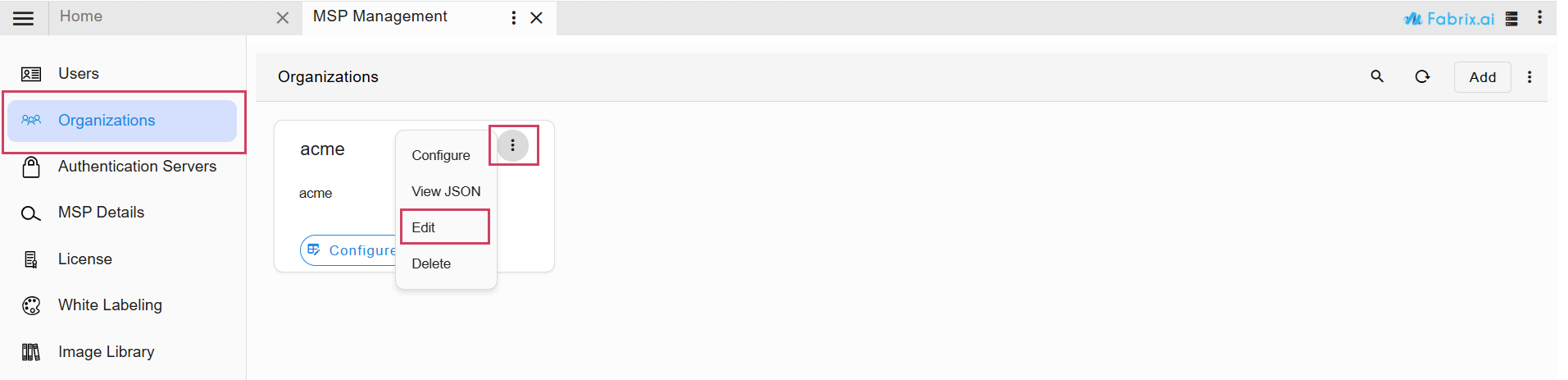
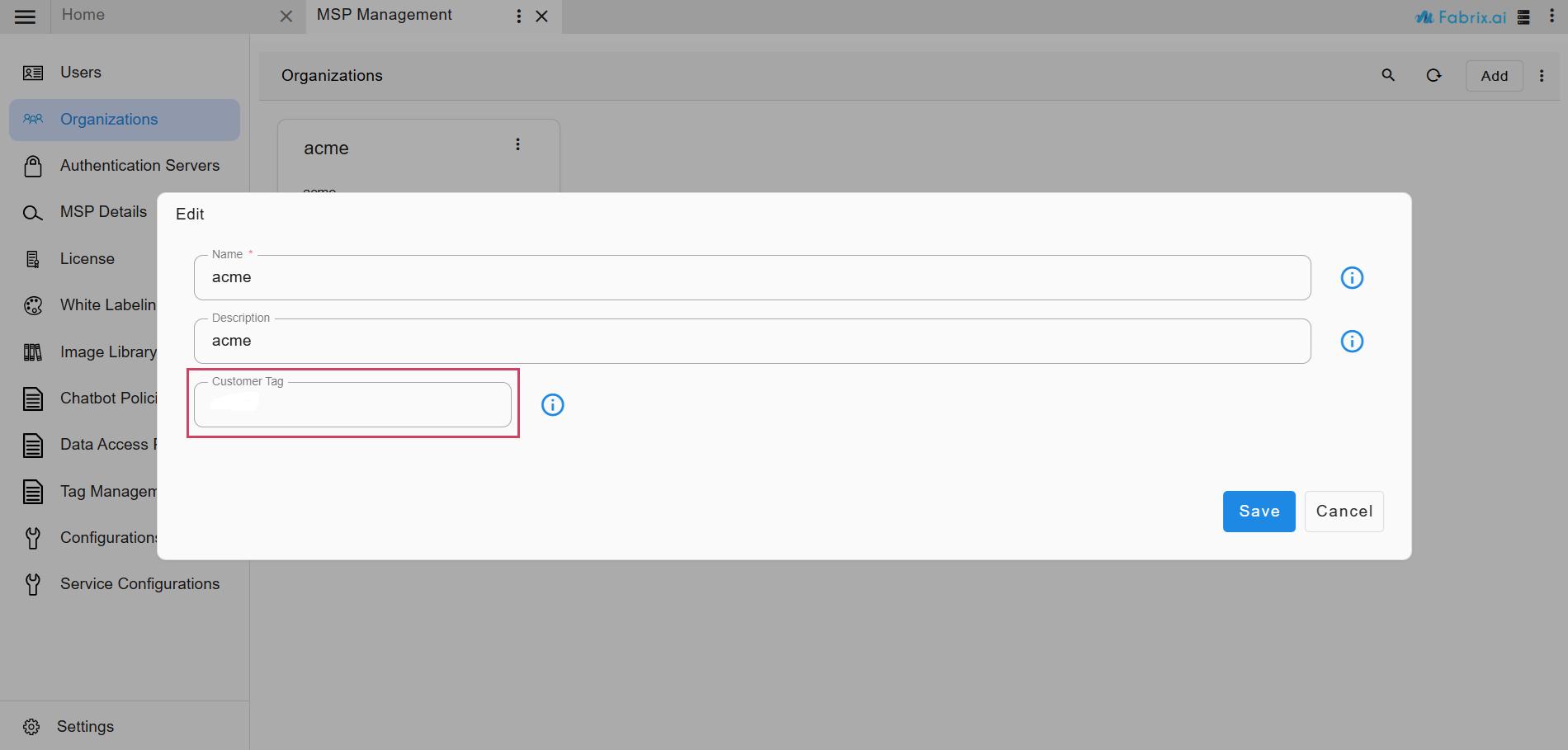
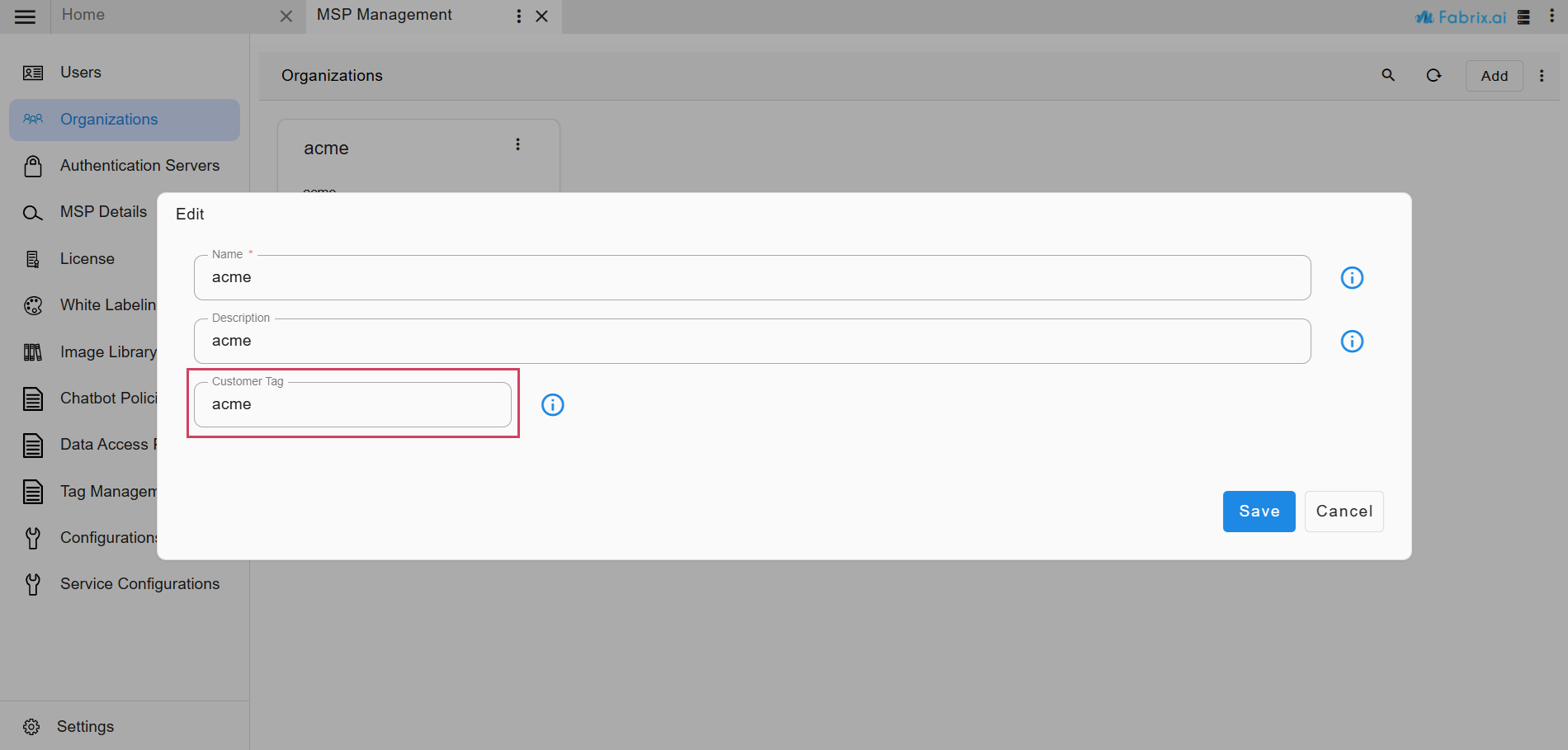
Note
To get the latest OIA Alerts and Incidents Dashboard changes, please activate the Fabrix AIOps Fault Management Base Version 12.0.0
1) Upload following RDA Packs (Go to Main Menu --> Configuration --> RDA Administration --> Packs --> Click Upload Packs from Catalog), and activate the packs for the latest dashboard changes for OIA Alerts and Incidents. Upload the following pack (ensure you select the correct versions)
- Fabrix AIOps Fault Management Base Version 12.0.0
1) Download the Fabrix AIOps Fault Management Base Version 12.0.0 from the following Link
- Upload the downloaded RDA Packs (Go to Main Menu --> Configuration --> RDA Administration --> Packs --> Click Upload Pack), and activate the packs for the latest OIA dashboard changes. Upload the following pack (ensure you select the correct versions)
Note
To get the latest OIA Alerts and Incidents Dashboard changes, please activate the Fabrix AIOps Fault Management Base Version 12.0.0
1) Upload following RDA Packs (Go to Main Menu --> Configuration --> RDA Administration --> Packs --> Click Upload Packs from Catalog), and activate the packs for the latest dashboard changes for OIA Alerts and Incidents. Upload the following pack (ensure you select the correct versions)
- Fabrix AIOps Fault Management Base Version 12.0.0
1) Download the Fabrix AIOps Fault Management Base Version 12.0.0 from the following Link
- Upload the downloaded RDA Packs (Go to Main Menu --> Configuration --> RDA Administration --> Packs --> Click Upload Pack), and activate the packs for the latest OIA dashboard changes. Upload the following pack (ensure you select the correct versions)
Configure Agentic AI
- To configure the "Agentic AI" features, please click here